
Your first document
From an empty account to a signature, in about ten minutes.
A PDF you would normally print and have somebody sign. If you have not got one to hand, use anything — you can delete it afterwards.
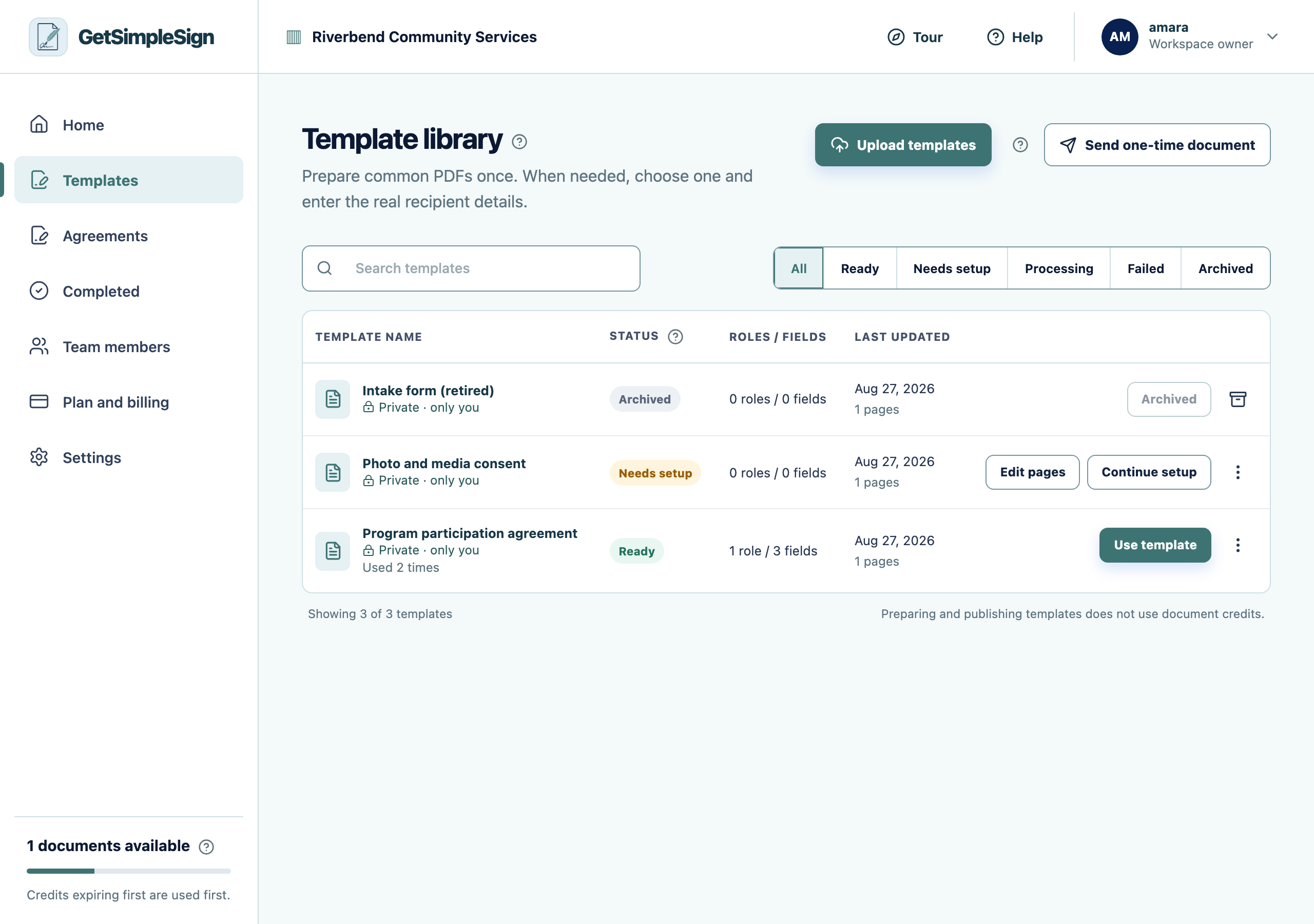
Press Upload templates and choose your PDF.
 123
123The Template library, listing three templates with their statuses: Ready, Needs setup, and Archived. - 1Upload templates takes a PDF from your computer.
- 2Ready means the template can be sent. Needs setup means roles or fields are still missing.
- 3Use template starts a send from this document.
Say who signs it. Not their name — their part in it, like "Participant" or "Client". You enter real names later, each time you send.
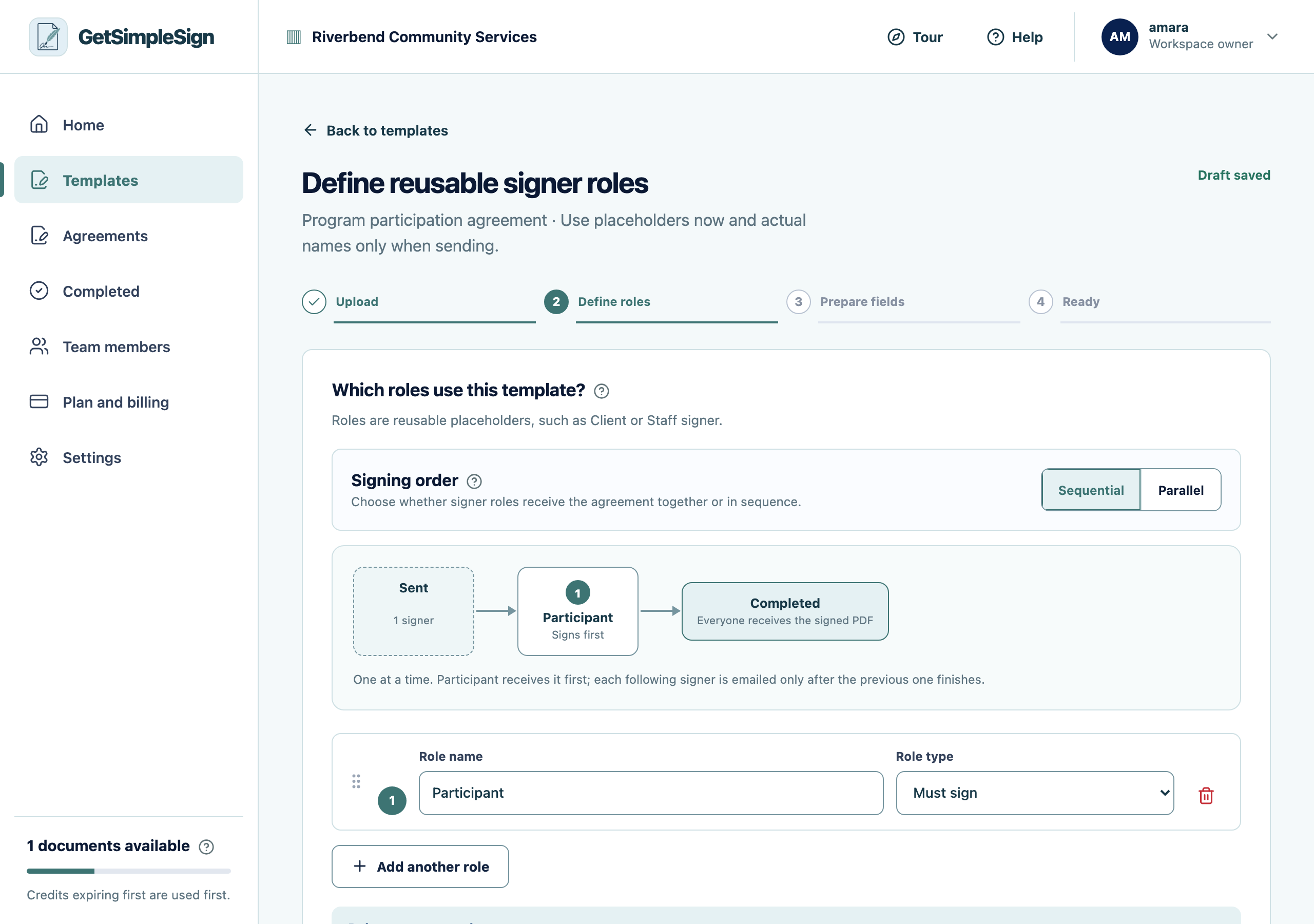
The roles screen, where you describe who signs — by their part in the agreement rather than by name. Drag a signature field onto the page where they should sign. Add a name and a date field if the document asks for those too.
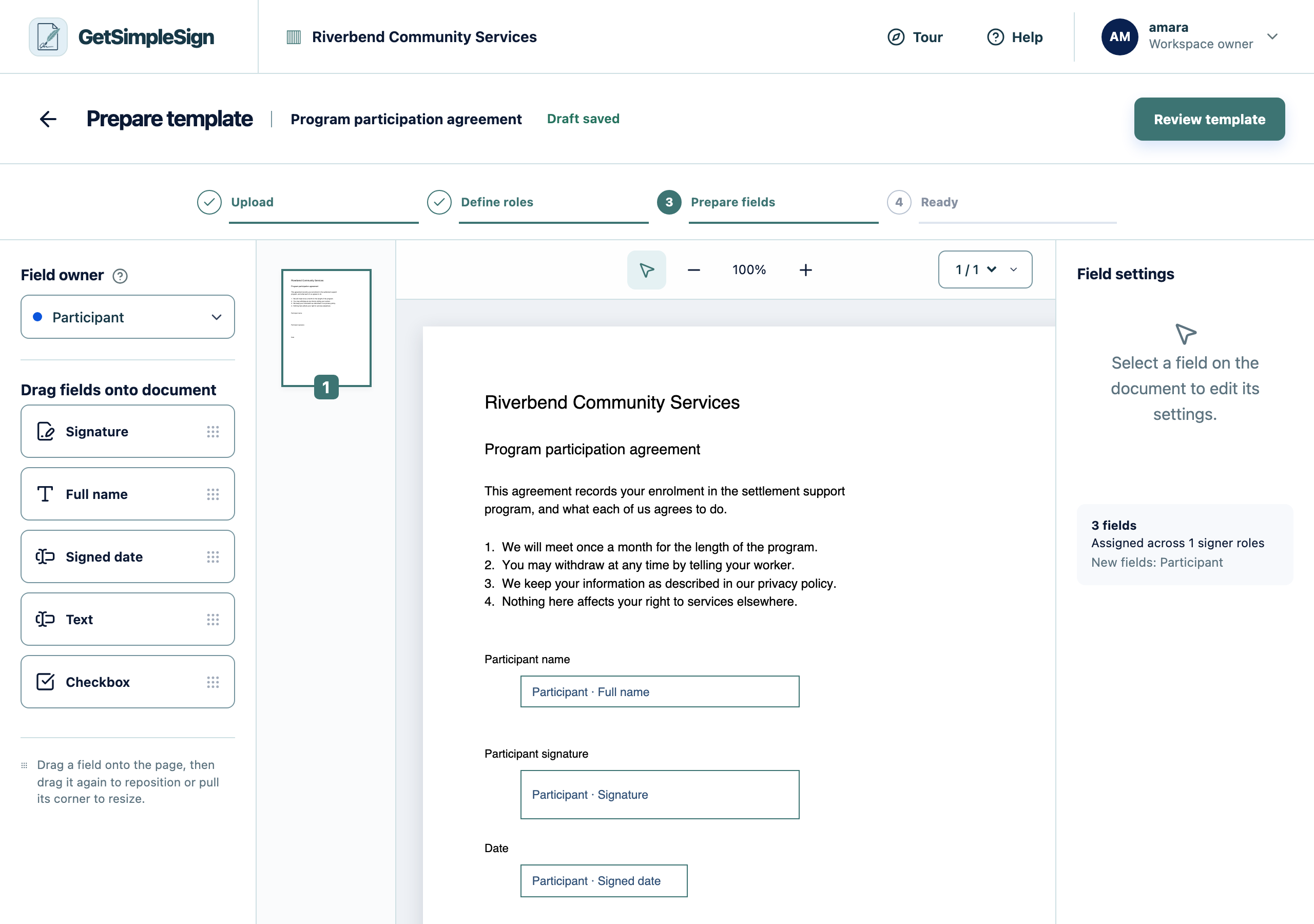
The field editor, showing the document with a name, signature and date field placed on it. Check the summary, then publish. The template is now Ready.
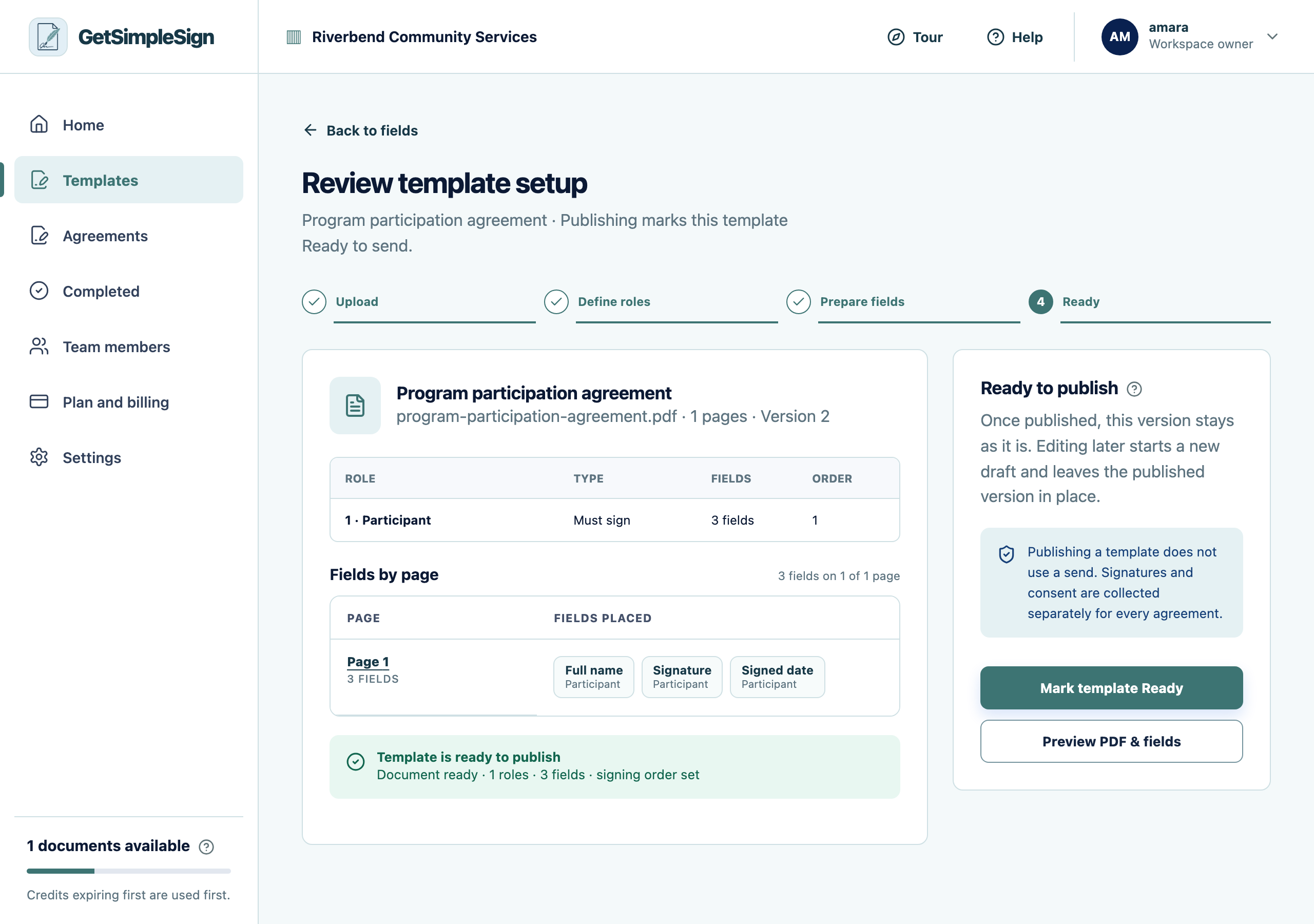
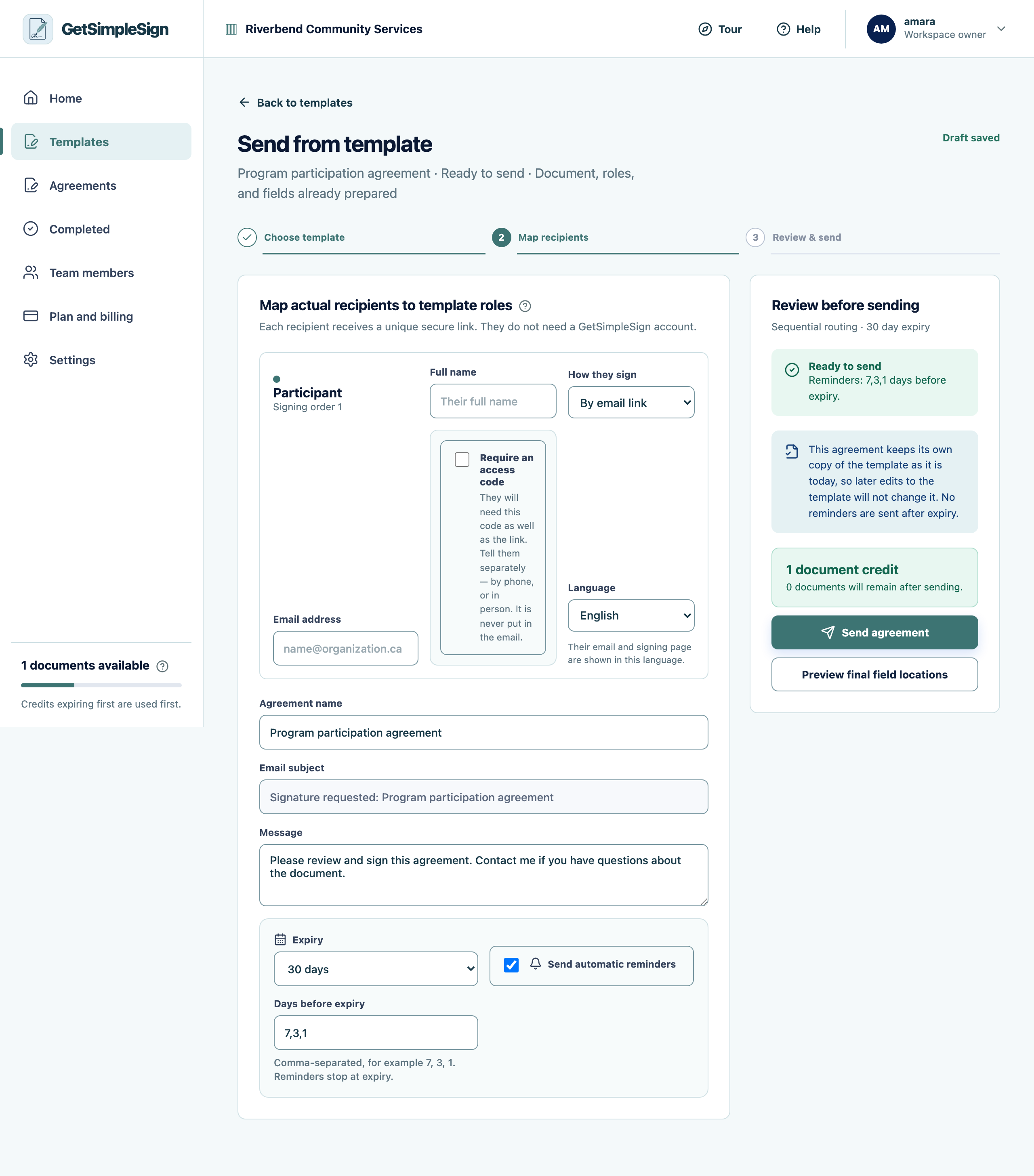
The review screen, listing every field and who fills it in before the template is published. Press Use template, type the real person’s name and email, and press Send agreement.
 123
123The send screen, with the recipient's name and email, how they sign, the language, the option to require an access code, the agreement name, message, expiry and reminders. - 1The person who will sign. Type their name — the agreement name and greeting follow it.
- 2Require an access code when the mailbox might be shared. Tell them the code separately; it is never put in the email.
- 3How long the link works, and when reminders go out.
The agreement appears under Agreements as in progress, and the person you sent it to has an email with their own private link.
It says no document credits are available. A free workspace can send three. See How document credits work.
It will not let you publish. Every signer needs at least one signature field. Go back to the field editor and check each role has one.