
Organization name and logo
What your clients see when a document arrives from you.
Open Settings.
 1
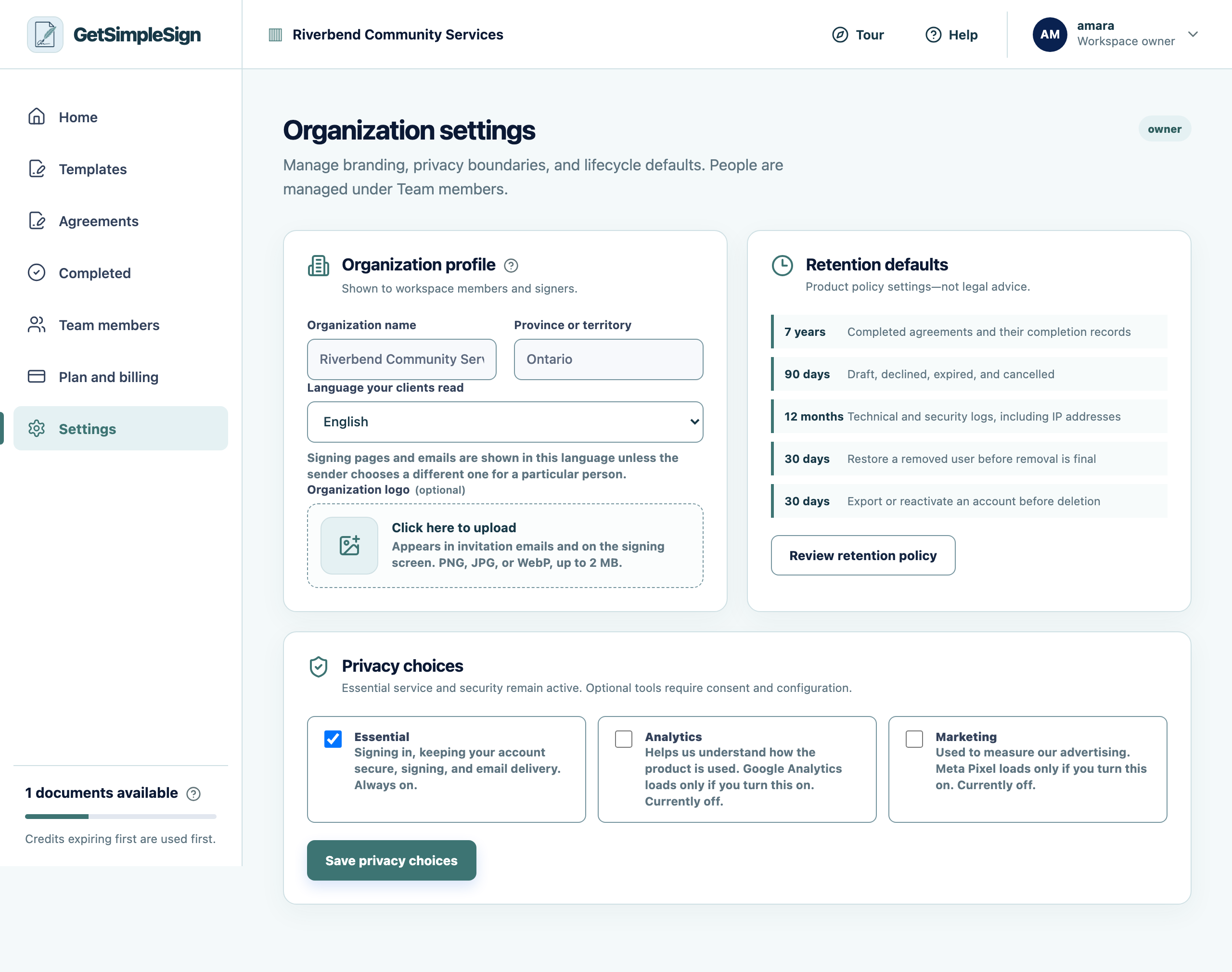
1Organization settings: name, province, signing language, logo, retention defaults and privacy choices. - 1Your logo appears on invitation emails and on the signing screen. Click anywhere in this panel to upload one.
Add your logo. Click anywhere in the logo panel — there is no separate button to find.
PNG, JPG or WebP, up to 2 MB. A square or near-square image works best.
You should see
Your logo appears in invitation emails and at the top of the signing screen. It is the single most useful thing for convincing somebody an email is genuinely from you.
If it did not work
The upload is refused. Check the format and that it is under 2 MB.
Only an owner or an administrator can change it.