

Send a completed copy without another signature
Use a copy role for someone who needs the result but does not sign.
On Define reusable signer roles, add a role and choose Receives a copy.
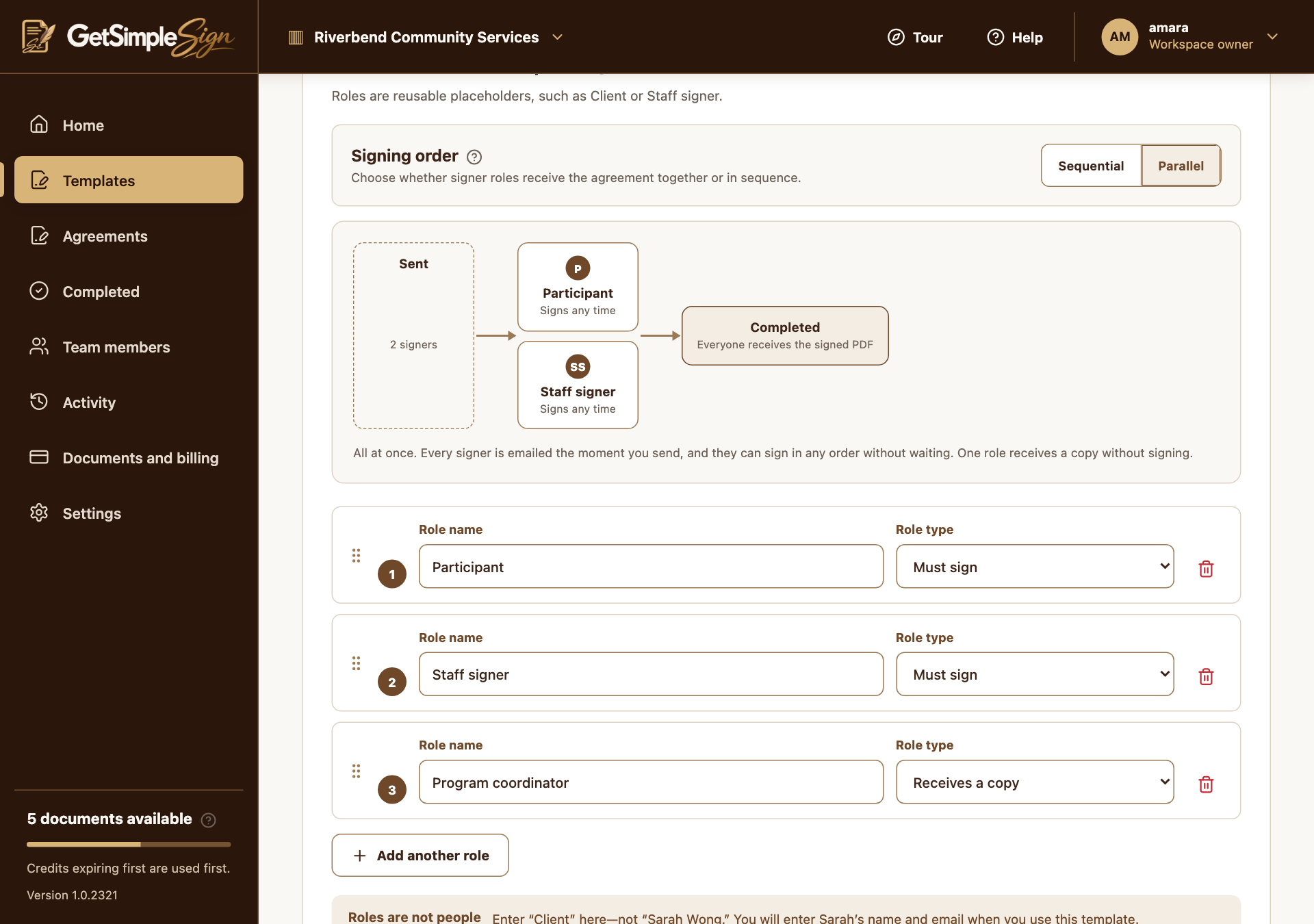
The roles screen, where you describe who signs — by their part in the agreement rather than by name. Screenshots use a demonstration workspace. Keep at least one Must sign role. Do not add signature fields for the copy role.
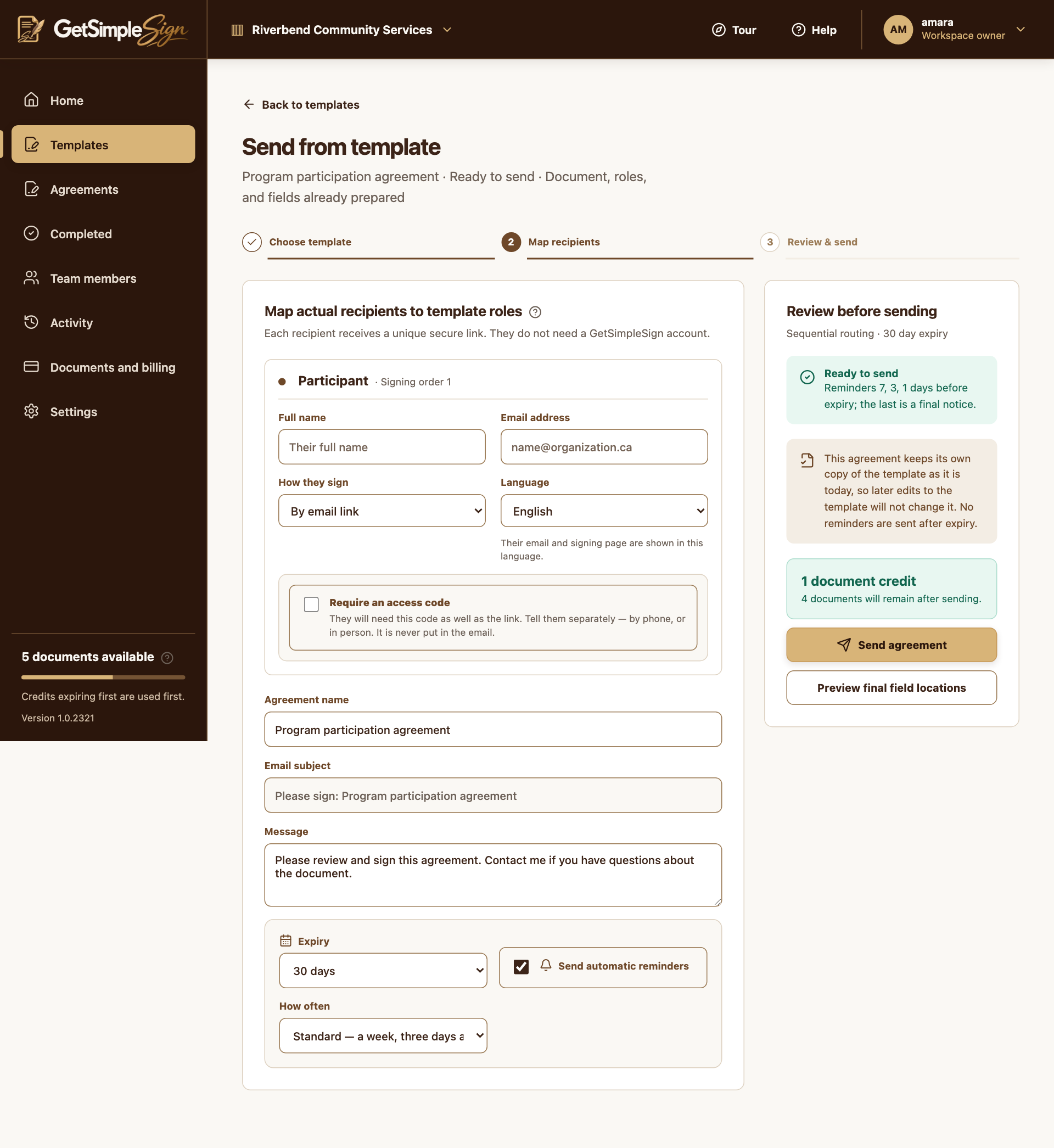
On Use template, enter the real copy recipient’s name and email along with the signers.
 123
The send screen, with the recipient's name and email, how they sign, the language, the option to require an access code, the agreement name, message, expiry and reminders. Screenshots use a demonstration workspace. - 1Enter the real recipient for this reusable signer role.
- 2Add a separate signing access code if needed.
- 3Review expiry and reminder settings before sending.
Send the agreement. Copy recipients do not fill fields or block routing; they receive the completed copy after the signing process finishes.
You should see
The agreement’s recipient information distinguishes signers from copy recipients.
If it did not work
A copy recipient is not a workspace collaborator. Receiving a completed copy does not grant access to your private template library.