

Take the product tour
See the signing options, then find the controls in your workspace.
On the first visit, read the introduction showing one signer, parallel signing and sequential signing.
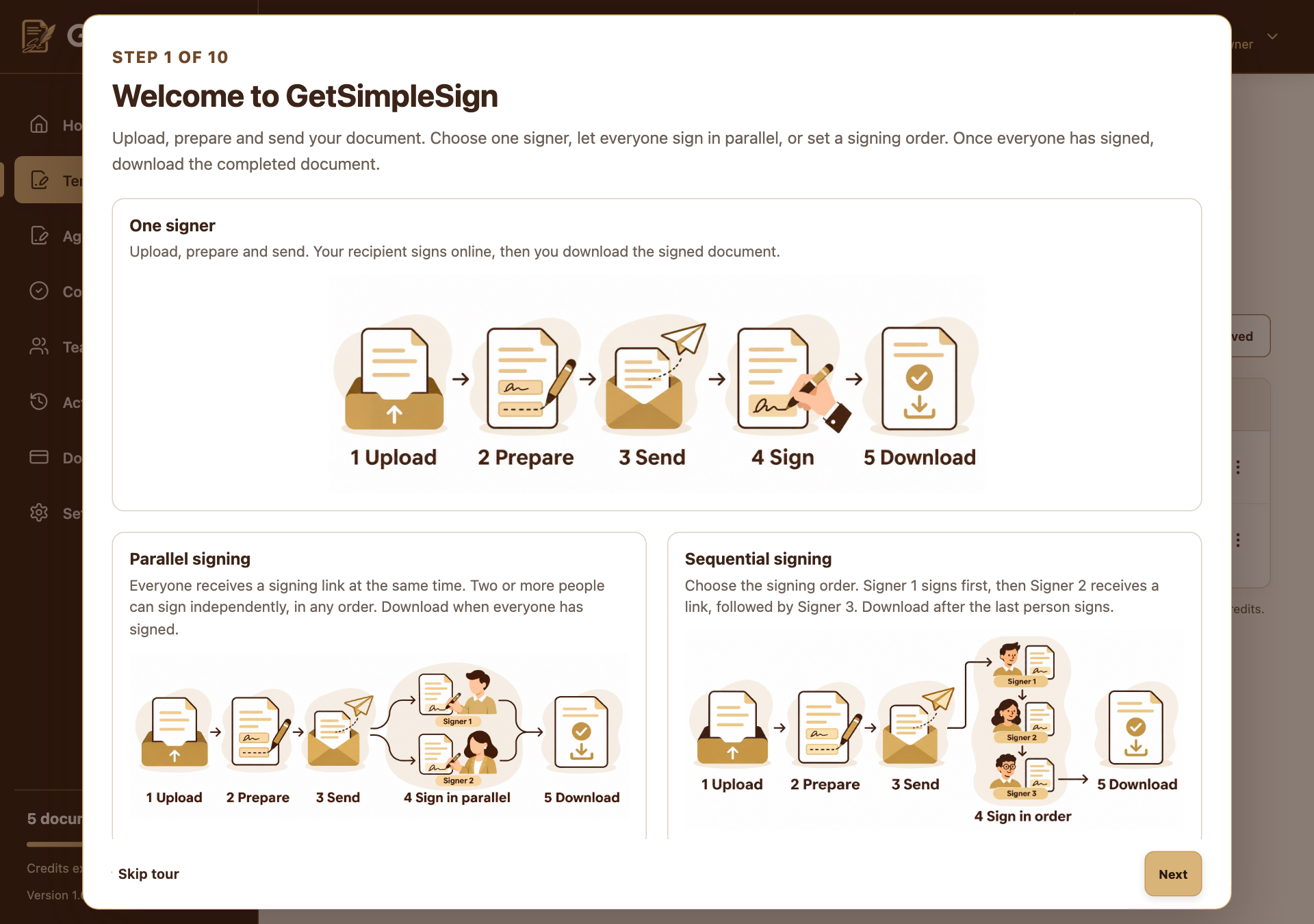
The introduction shows one signer, parallel signing and sequential signing. Screenshots use a demonstration workspace. Choose Next to begin the guided steps. Back revisits a step; Skip tour closes it.
On a phone, navigation steps open the side menu and highlight the relevant item above the description.
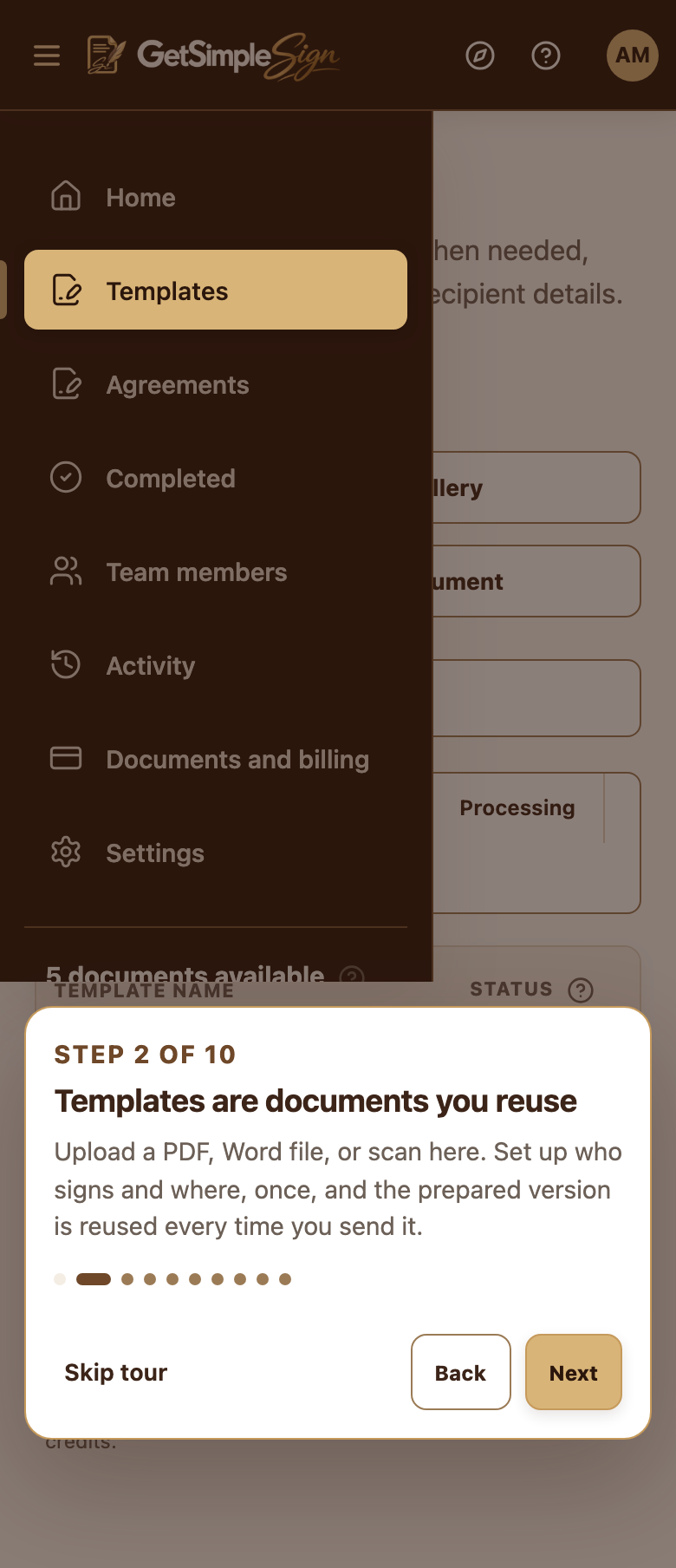
On a phone, a guided step opens and highlights the navigation above its description. Screenshots use a demonstration workspace. Choose Tour in the top bar to reopen it later. Use Help for explanations while working.
You should see
The tour ends without creating or sending a document.
If it did not work
The introduction scrolls on smaller screens. Use the Next control at the bottom of the dialog.
Next:Your first document