

Discounts, bonus documents and referrals
Review an offer in the order summary before purchasing.
Open Documents and billing and choose the packs and quantities you need.
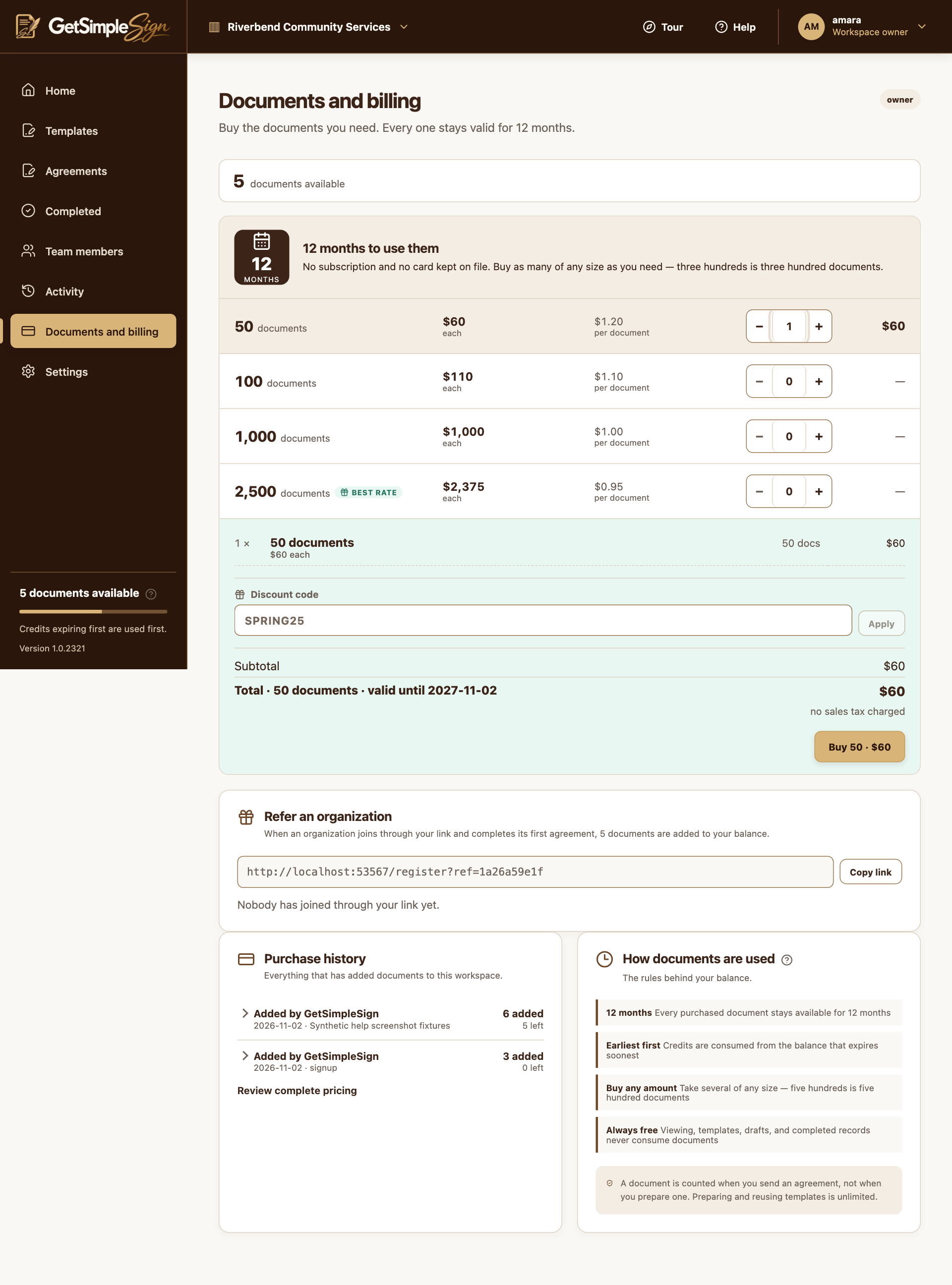
Document packs, quantities and the order summary in a synthetic billing example. Screenshots use a demonstration workspace. Enter an offer code and choose Apply. If you arrived through an offer link, check the code and its effect in the order summary.
An offer can reduce the amount or add bonus documents. Check expiry, eligibility and the final order before opening checkout.
If the page shows Your referral link, choose Copy link and share that link according to your organization’s policies. Rewards are shown when the qualifying conditions are met.
A valid offer is reflected in the order. Referral and promotional credits appear with the applicable account records.
A code can be expired, paused, already used, or ineligible for your order. Do not assume typing a code changes the price; check the displayed result.
Credits and purchase totals can be adjusted after a refund. Contact support about a discrepancy rather than buying repeatedly.