

Being helped by someone else
An interpreter, a witness, or a support worker can be recorded on the signature.
In the signing form, choose the option saying someone helped you.
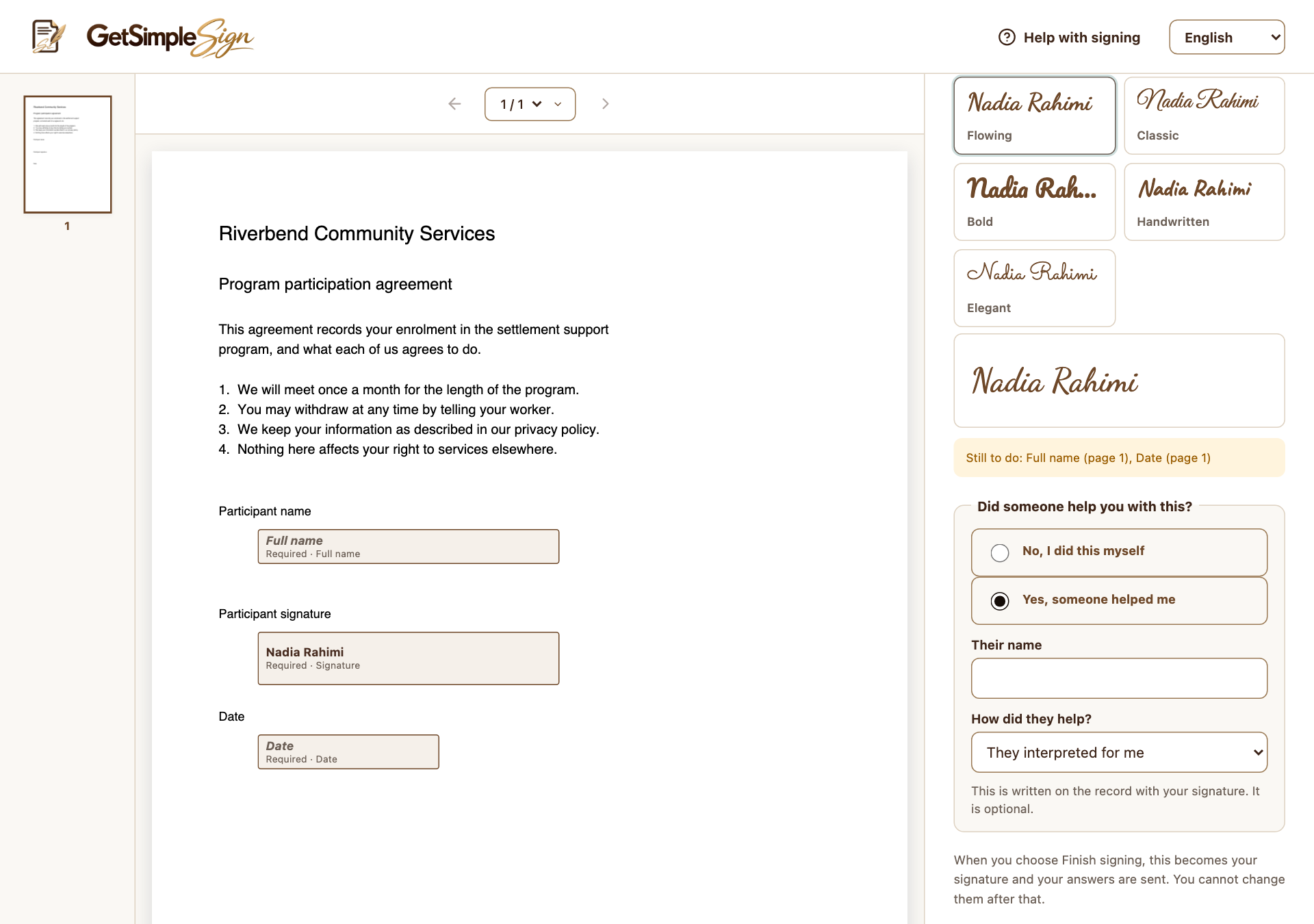
Assisted signing records a helper’s name and role. Screenshots use a demonstration workspace. Enter the helper’s name and choose Interpreter, Witness or They helped me another way as appropriate.
Review the other fields and finish signing. This records assistance; it does not give the helper their own signer role or signature field.
You should see
The recorded assistance is included with the signing evidence.
If it did not work
If another person must sign independently as a witness, ask the sender to add a separate signer role and signature field.