
Create your account
Set up a workspace for your organization. It is free, and it stays free until you send more than three documents.
A work email address you can read today, because we send a link to it that you have to open.
Go to the sign-up page and fill in your first name. A last name is optional — plenty of people go by one name, and nothing here needs both.
 1234
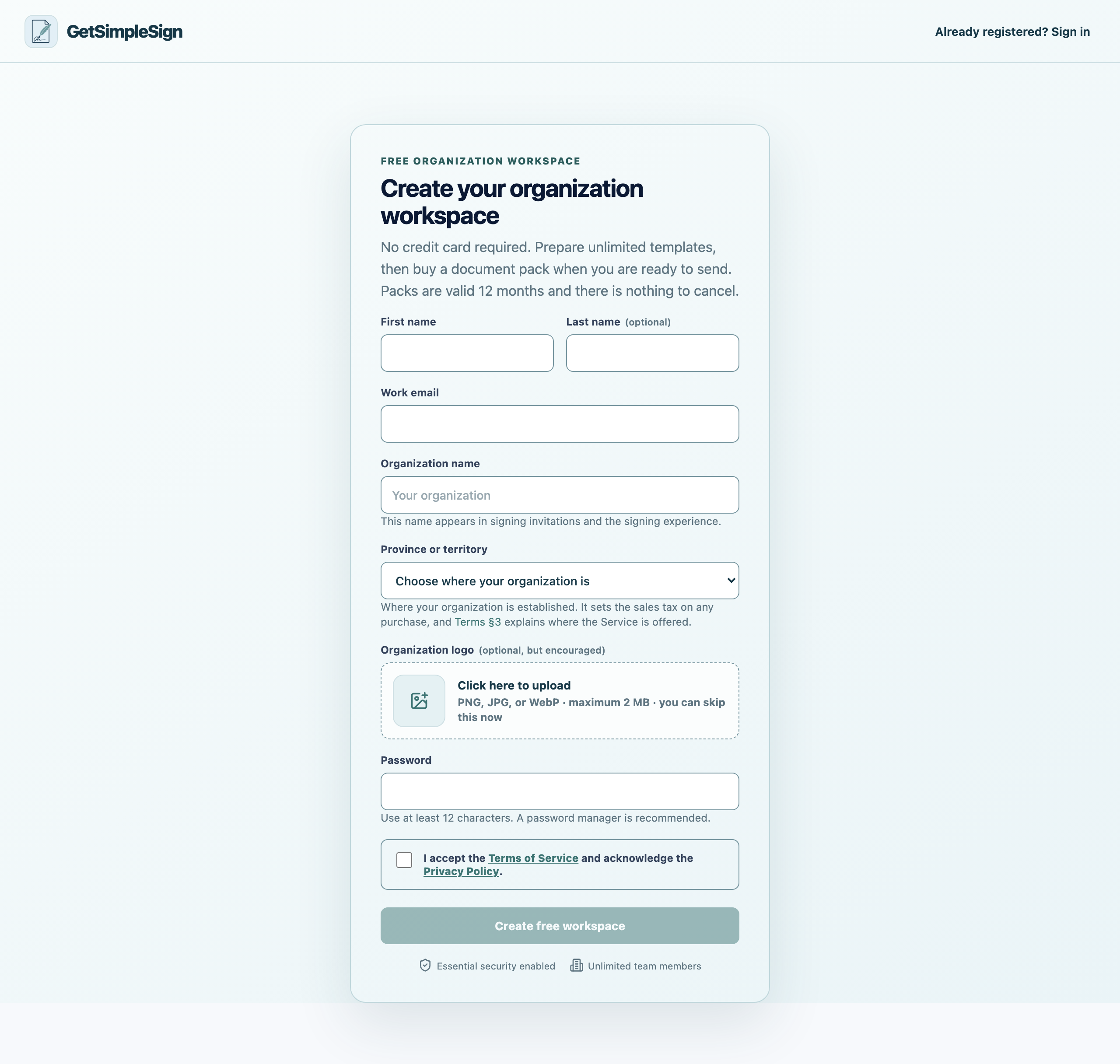
1234The Create your organization workspace form, with fields for your name, work email, organization name, province, logo and password. - 1Your work email. This is what you sign in with, and where the verification link is sent.
- 2Your organization's name. It appears in every signing invitation you send.
- 3The province your organization is in. It sets the sales tax on any purchase.
- 4Press Create free workspace when the form is complete.
Enter your work email. This is what you will sign in with, and where every notification goes.
Enter your organization’s name. This appears in every signing invitation, so use the name your clients would recognise rather than an internal abbreviation.
Choose the province or territory your organization is in. This sets the sales tax if you later buy documents.
Add your logo if you have one. You can skip this and add it later in Settings. It is worth doing: it is what tells somebody the email is genuinely from you.
Choose a password of at least twelve characters. A password manager is easier than inventing one, and safer.
Accept the Terms of Service, then press Create free workspace.
You are asked to check your email. Open the message from GetSimpleSign and press the link in it. Then you are signed in.
No email after a few minutes? Check the spam folder, then press Resend verification email on the same screen.
It says an account already exists? Somebody at your organization has signed up, or you have before. Use Forgot your password rather than creating a second one.
Quebec is not in the province list. GetSimpleSign is not currently offered to organizations in Quebec — that is a decision about where we sell, not about you. Write to [email protected] if you would like to be told when it changes.