
Signing in another language
The signing screen is available in English, French and Spanish.
The sender chooses a language for you, and the whole screen arrives in it — including the explanation you agree to, not just the buttons.
If it is the wrong one, use the language menu at the top of the signing screen. Nothing you have typed is lost.
 12
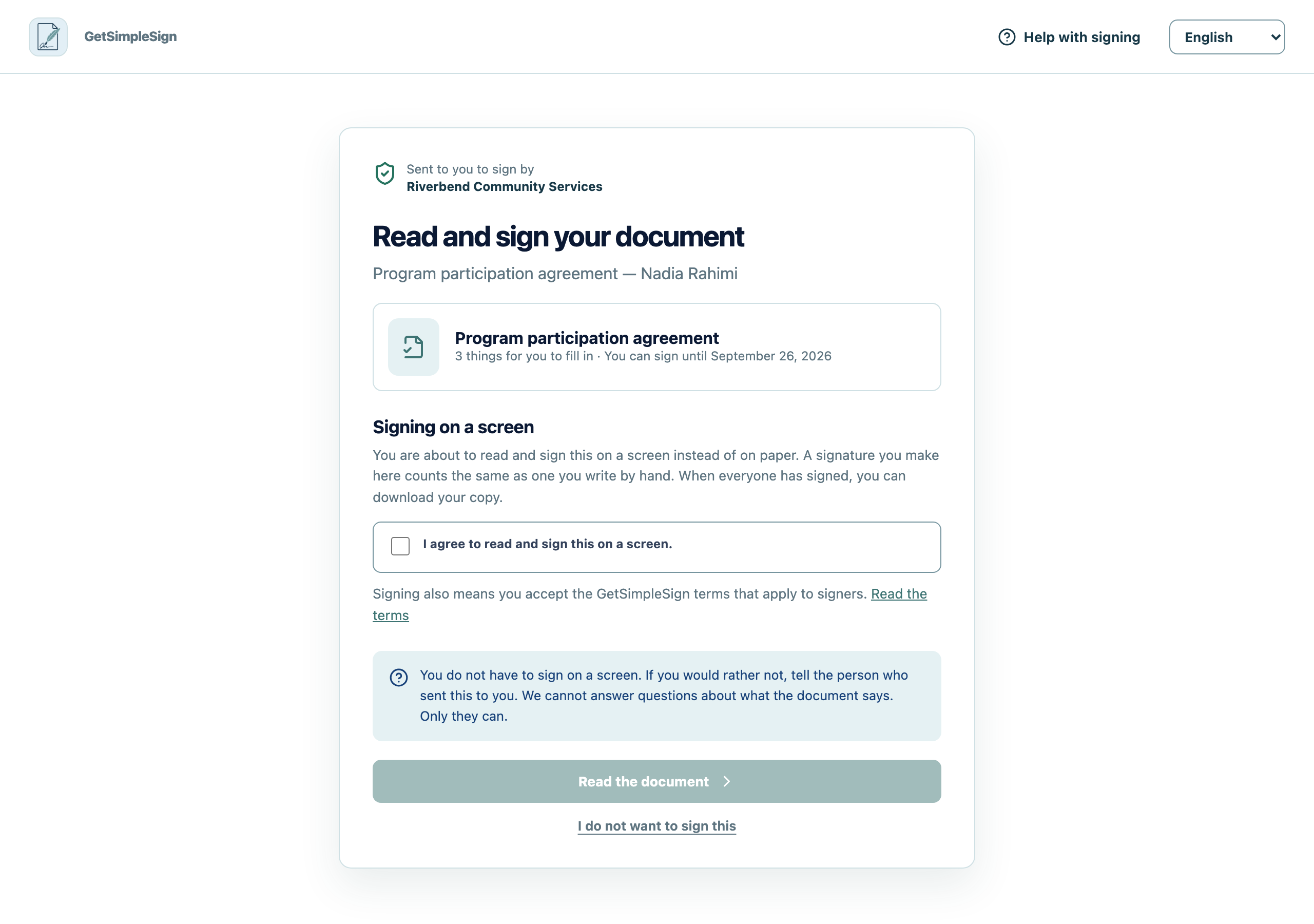
12What a signer sees first: who sent the document, an explanation of signing on a screen, the agreement to do so, and a link to the terms. - 1Signing on a screen counts the same as signing on paper. You have to agree to this before the document opens.
- 2Nobody has to sign electronically. Declining tells the sender and asks nobody else.
The completion record notes which language you actually read it in. That matters: if it is ever disputed whether you understood what you agreed to, the record answers it.
Everything on screen, including the sentence beside the tick box, is in the language you chose.
Your language is not there. The document itself is not translated either — it is whatever the sender uploaded. Ask them whether an interpreter can be present, and see In-person signing.