

Completed records and the completion certificate
What you actually get at the end, and why the second file matters.
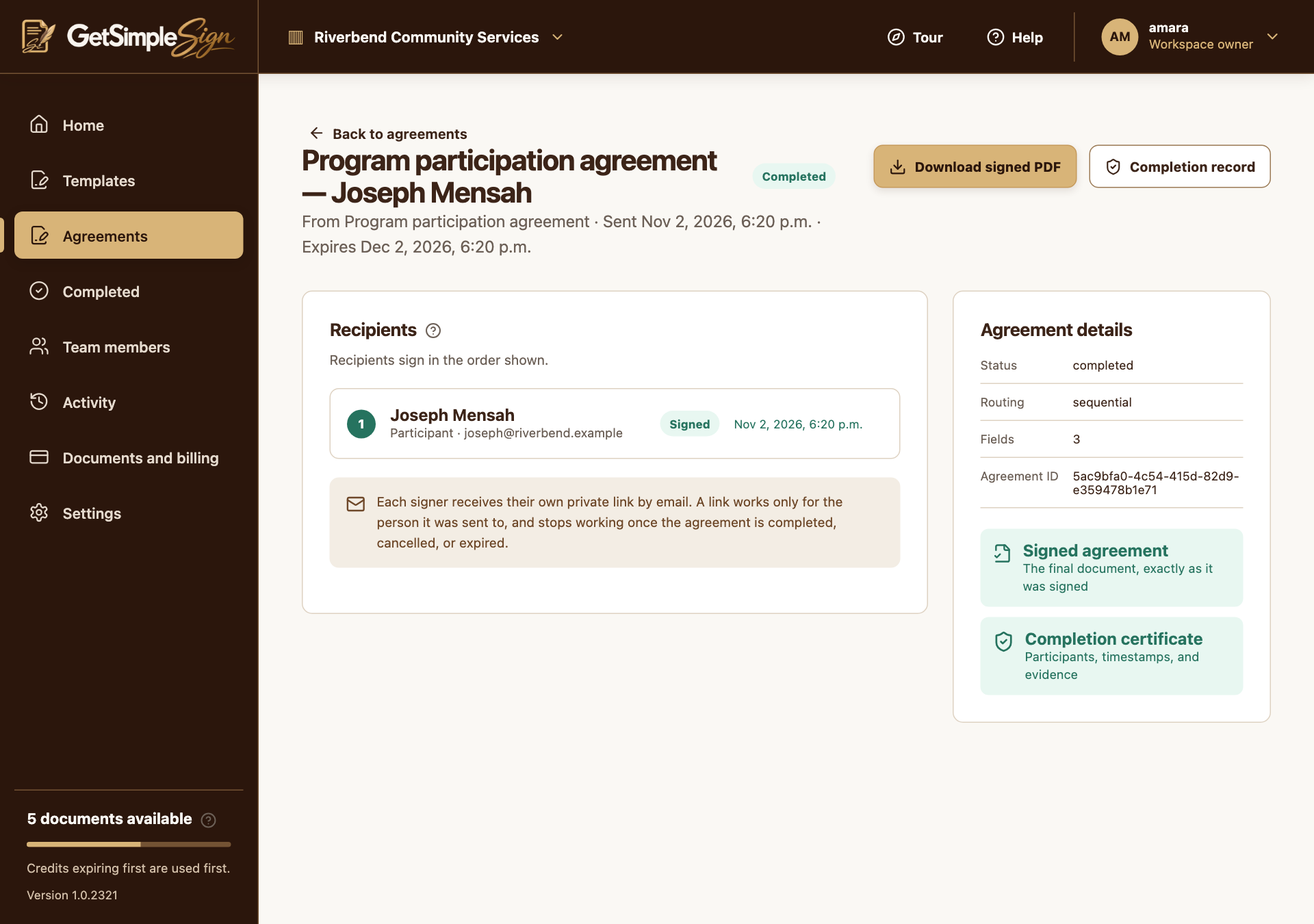
As the sender, open Completed and select the agreement, or open it from Agreements. As a recipient, use the private completed-copy link from your completion email; no workspace account is required.
 12
A completed agreement, offering the signed PDF and the completion record. Screenshots use a demonstration workspace. - 1Download the finalized document after completion.
- 2Save the completion evidence with the signed PDF.
Choose Download signed PDF and Completion record. Wait for finalization if either artifact is not ready.
Keep both files in your organization’s records according to its policy.
On the public Verify document page, choose the downloaded signed PDF. The app checks its fingerprint and shows the recorded match or a failure. A matching fingerprint checks the file against the service record; it does not independently prove a signer’s identity.
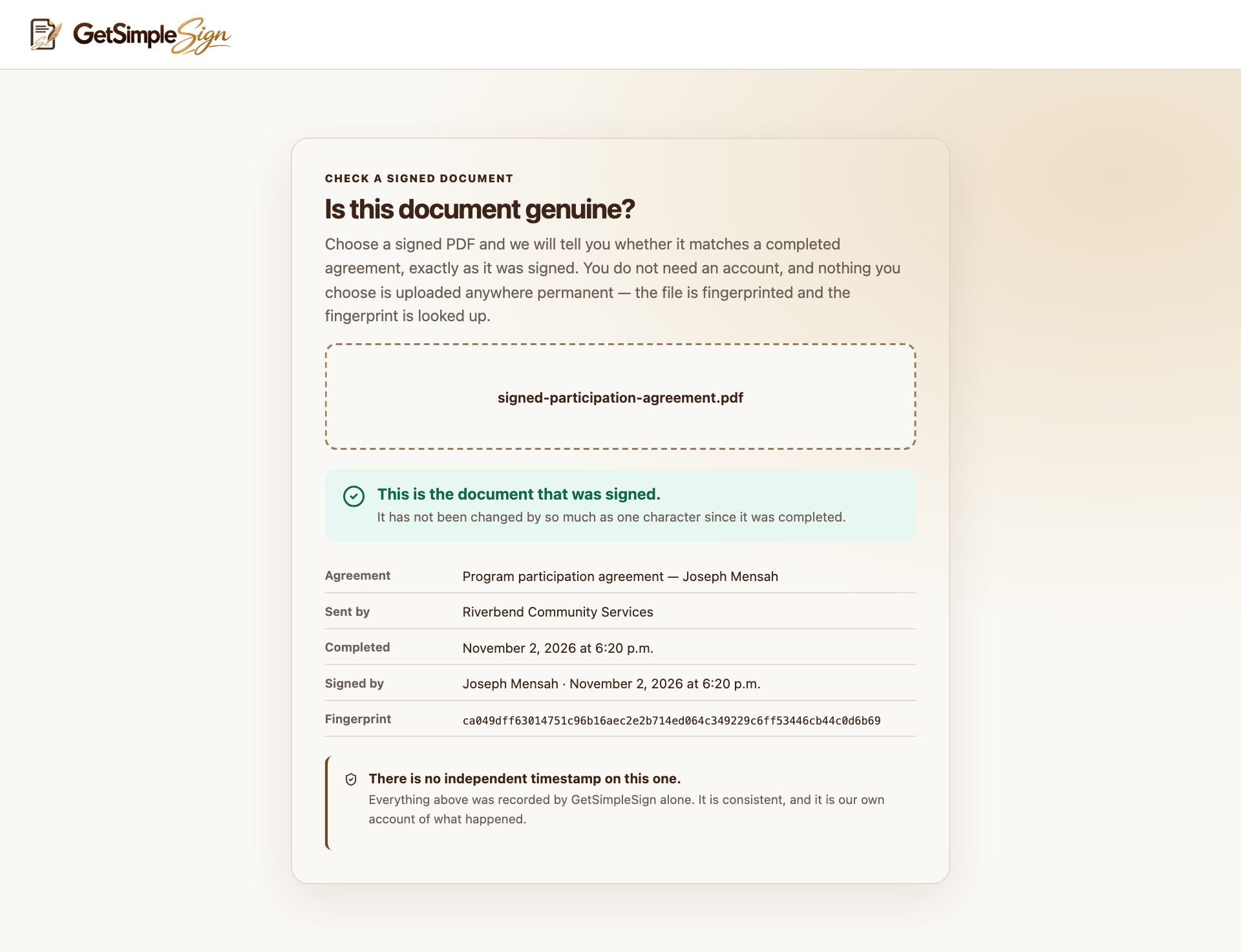
The verification page confirms that the selected signed PDF matches a completed agreement. Screenshots use a demonstration workspace.
You have the finalized PDF and its completion record, including signing method, timestamps and recorded events.
If a signer has finished but others have not, the whole agreement is not complete yet.
A changed PDF may no longer match the recorded fingerprint. Verify the original downloaded file.
Contact support if finalization repeatedly fails, and retain the agreement identifier.