

Start from the gallery
Copy an example into your own template library.
In Templates, choose Start from the gallery.
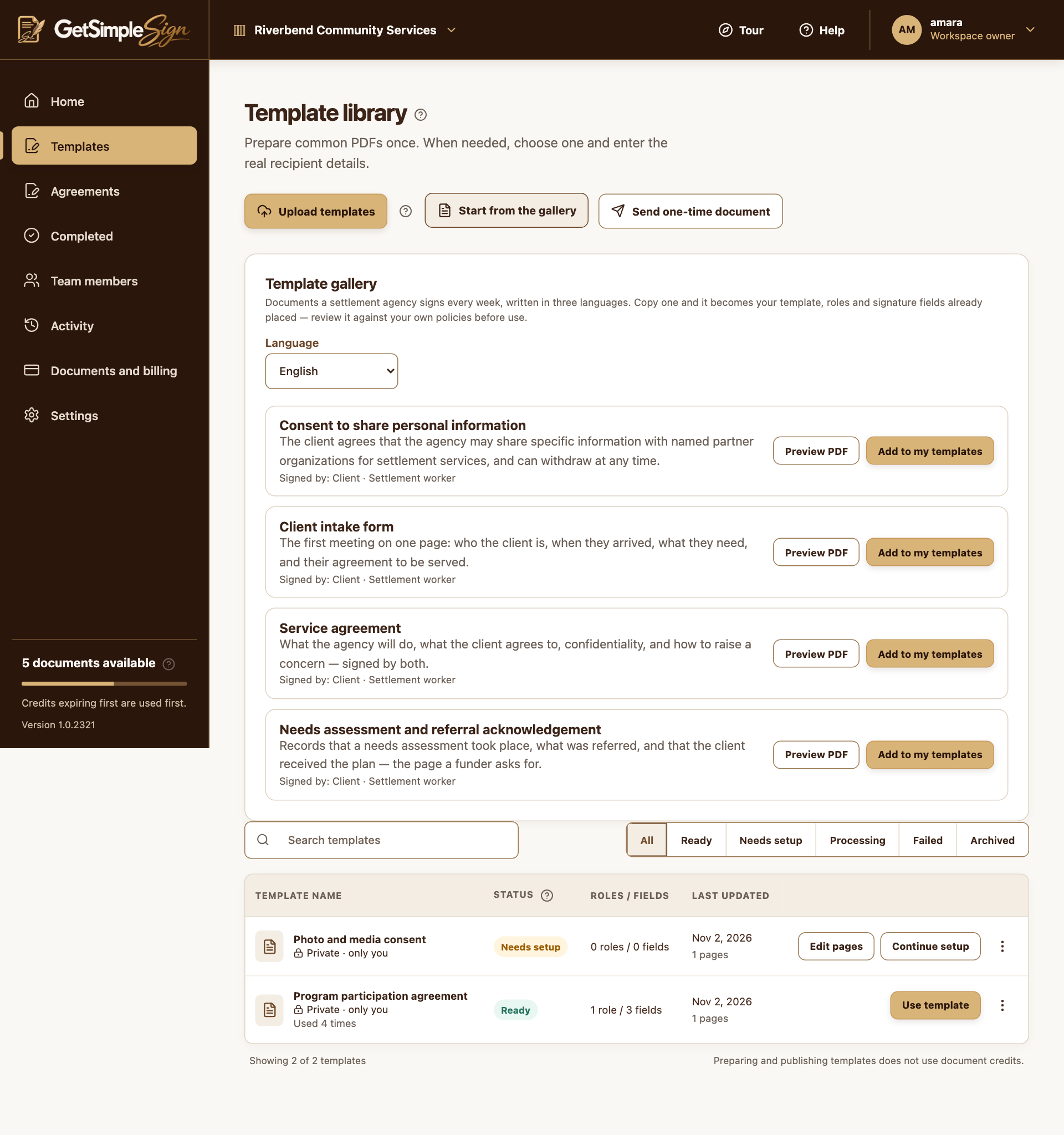
The built-in gallery offers preview and a copy into your template library. Screenshots use a demonstration workspace. Choose the gallery language and review the document description or Preview PDF.
Choose Add to my templates. The copy belongs to you and can be reviewed or edited like another template.
Check the wording, roles, fields and signing language before using it. Gallery examples are starting points, not legal advice.
You should see
The copied document appears in your template library, with its preparation already supplied.
If it did not work
A gallery copy may be Ready. Use its actions menu to edit it when necessary, then review and publish again.