
Who fills in each field
Some fields are yours to complete before sending, not the signer’s.
In the field editor, each field says who fills it in: the signer, or you.
Set a field to you when the value is something you know and they do not — a file number, a programme name, an amount agreed in a meeting.
When you send, you are asked for those values. They are locked into the document before it reaches the signer, who can read them but not change them.
 123
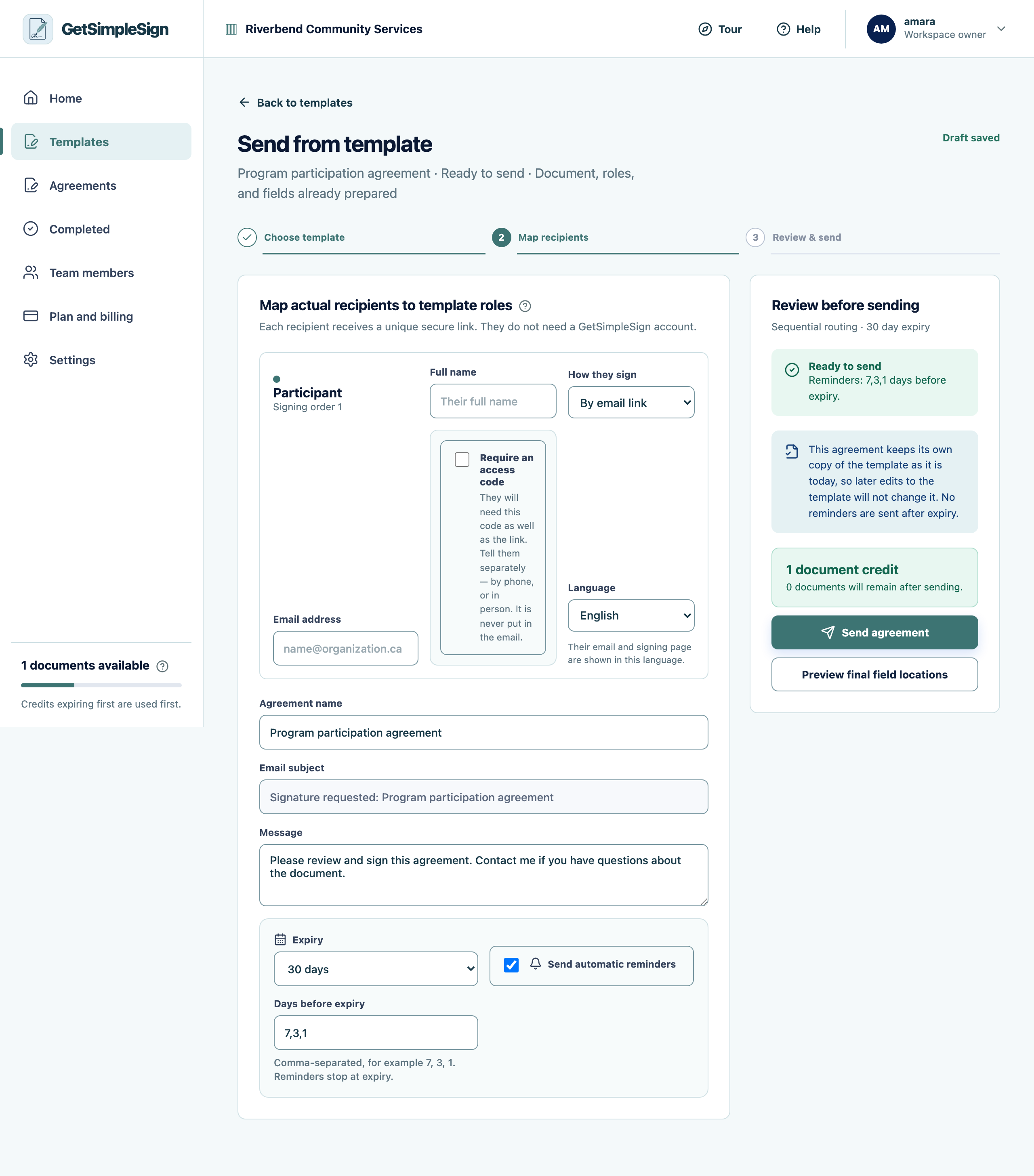
123The send screen, with the recipient's name and email, how they sign, the language, the option to require an access code, the agreement name, message, expiry and reminders. - 1The person who will sign. Type their name — the agreement name and greeting follow it.
- 2Require an access code when the mailbox might be shared. Tell them the code separately; it is never put in the email.
- 3How long the link works, and when reminders go out.
You should see
The send screen asks you for exactly the fields you marked as yours, and refuses to send while a required one is blank.
If it did not work
You are being asked for something you do not know at send time. That field probably belongs to the signer. Change it in the field editor.