
What each status means
Five words that tell you what a template needs from you.
Processing — the file has arrived and the pages are being read. This takes seconds.
Needs setup — it is in, but nobody has said who signs it or where. It cannot be sent yet.
Ready — roles and fields are set and it has been published. This is the only status you can send from.
Failed — the file could not be read. Replace it with a different PDF.
Archived — deliberately put away. It is not deleted, and agreements already sent from it are unaffected. Restoring it puts it back exactly as it was.
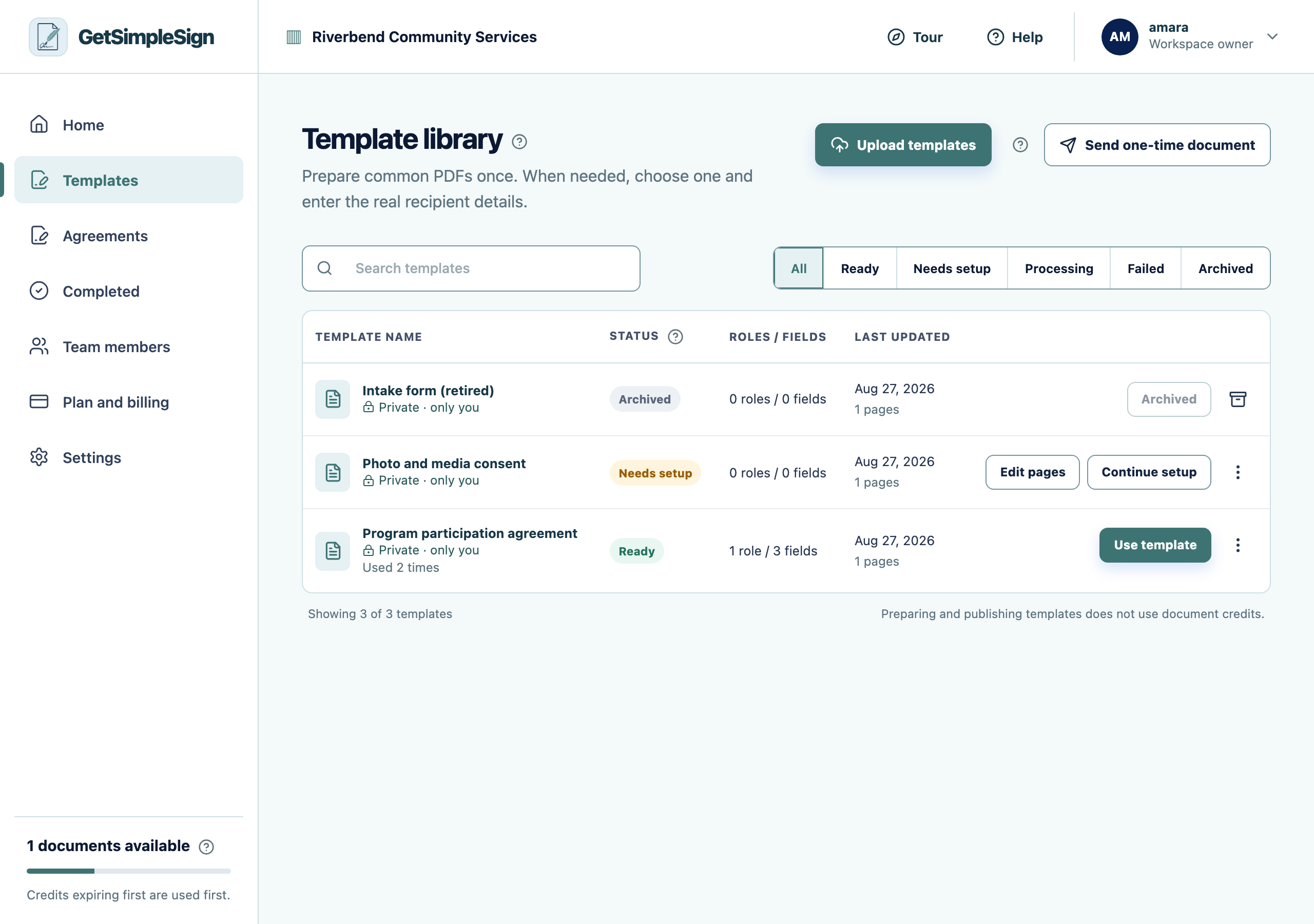 123
123The Template library, listing three templates with their statuses: Ready, Needs setup, and Archived. - 1Upload templates takes a PDF from your computer.
- 2Ready means the template can be sent. Needs setup means roles or fields are still missing.
- 3Use template starts a send from this document.
You can tell at a glance which templates are usable and which are waiting on you.
A template you prepared says Needs setup. Somebody may have changed its roles or fields, which un-publishes it so the change gets reviewed before it is sent to anybody.