

Roles and what each can do
Four workspace roles, with separate controls for administration and document access.
Owner: manages billing, membership and settings, can transfer ownership, and manages their own documents.
Administrator: manages invitations and organization settings, but cannot buy documents, change member roles, remove members or transfer ownership.
Member: prepares and sends their own documents. Team, settings and purchase controls are restricted.
Read-only: cannot upload, prepare or send documents, or sign on behalf of the workspace. This role does not grant access to another creator’s private content.
An owner changes a member’s role using the selector in Team members. Workspace role alone does not grant access to someone else’s private documents.
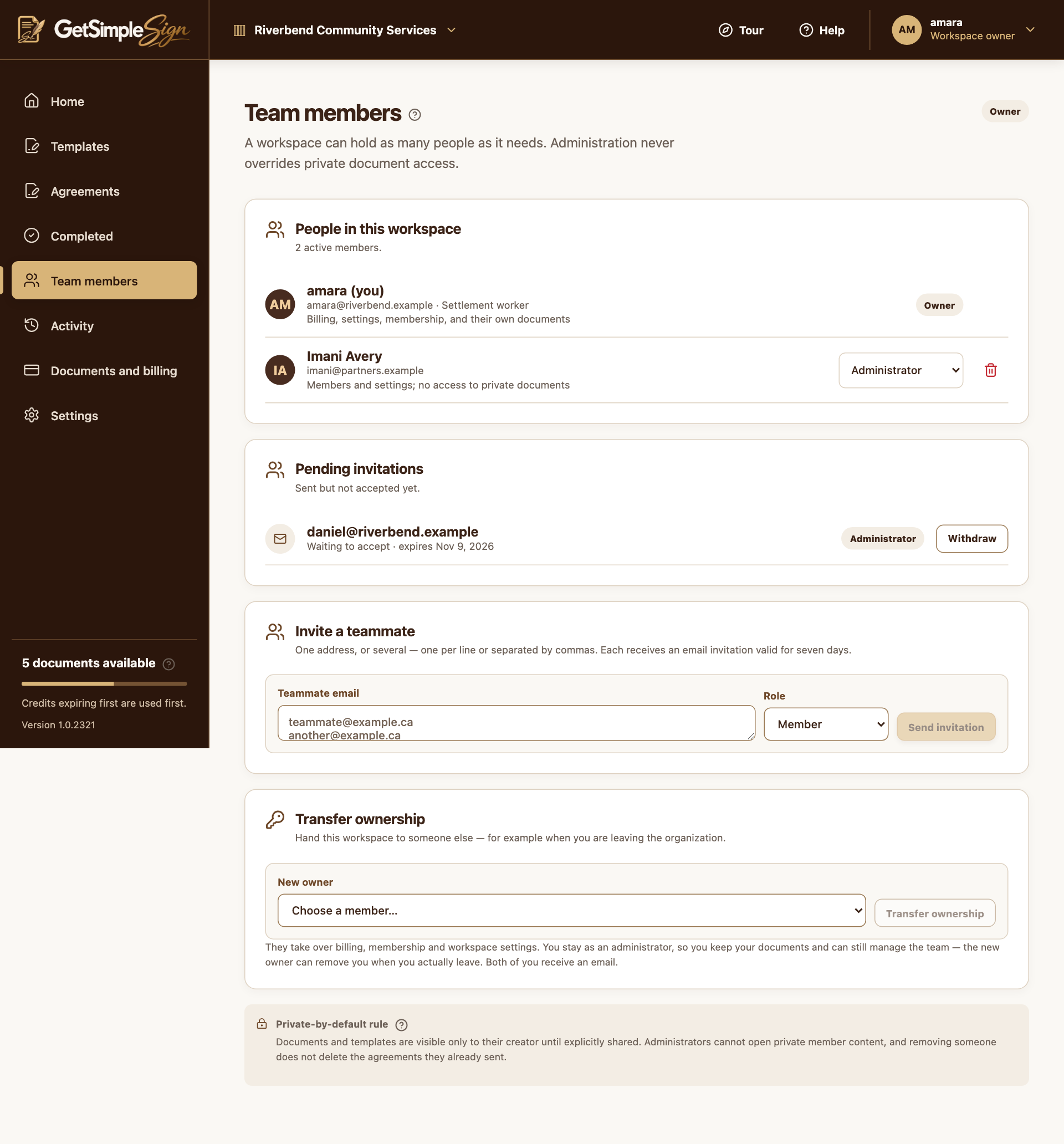
The Team members screen, listing members, their roles, and any invitation still outstanding. Screenshots use a demonstration workspace.
Each person sees the actions their role permits. Owners retain administrative control without automatic access to colleagues’ private documents.
There is currently no Share control for granting template or agreement collaborators in the customer UI. Do not assume a team invitation or role change shares private files.
Use signer or copy-recipient roles when somebody needs to take part in an agreement.