
Review and publish
The last look before a template becomes sendable.
Open the review screen. It lists every role, every field, which page it is on, and who fills it in.
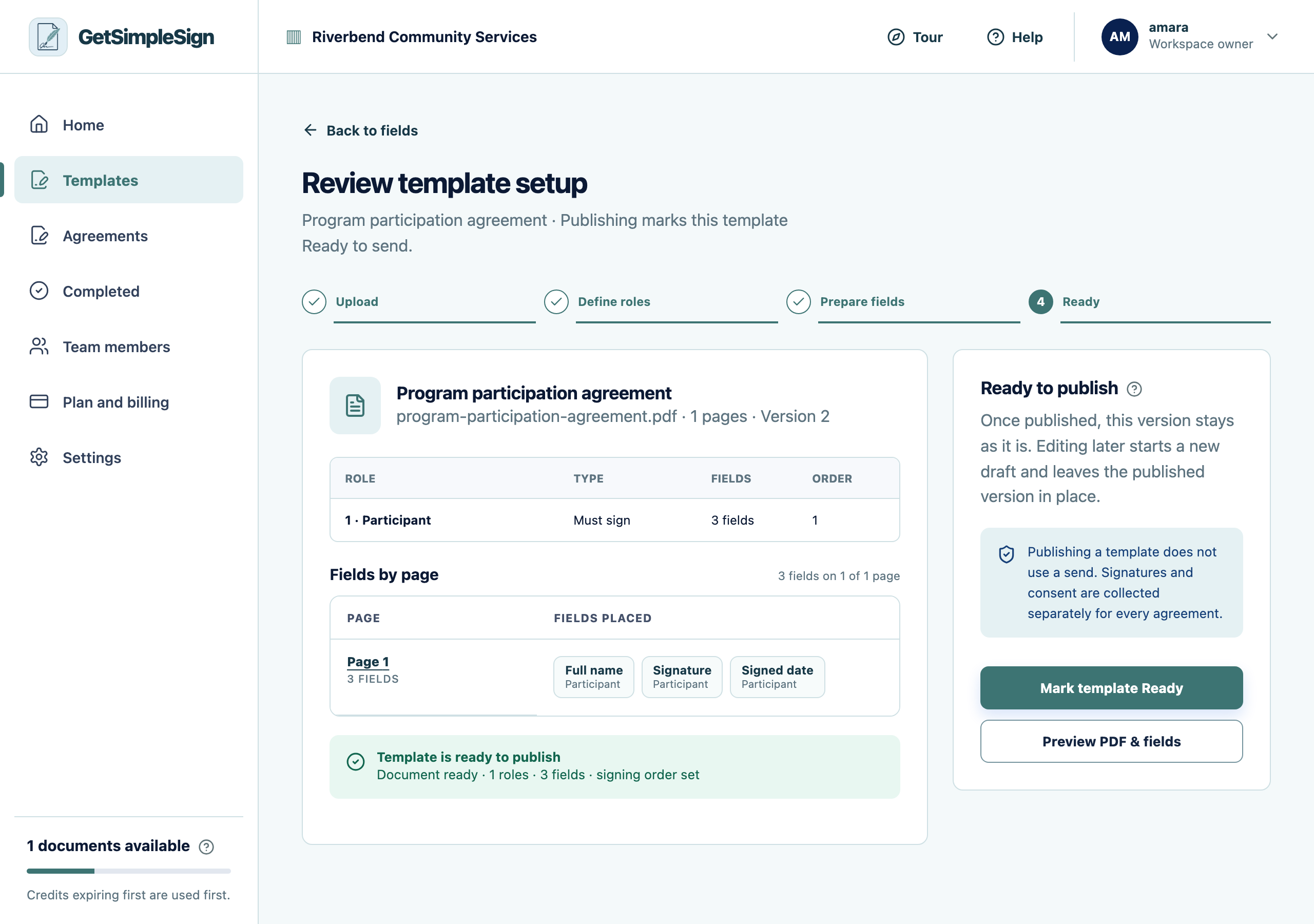
The review screen, listing every field and who fills it in before the template is published. Read it as though you were the person receiving it. Is anything missing? Is anything being asked of the wrong person?
Press Publish.
You should see
The status changes to Ready and Use template appears beside it in the library.
If it did not work
Publishing is refused. A signer role has no signature field. The review screen names which one.
You published and then spotted a mistake. Edit it — the template goes back to Needs setup so the change is reviewed, and agreements already sent are untouched.
Next:Send from a template