
Cancelling an agreement
Stopping something you should not have sent — and what it costs.
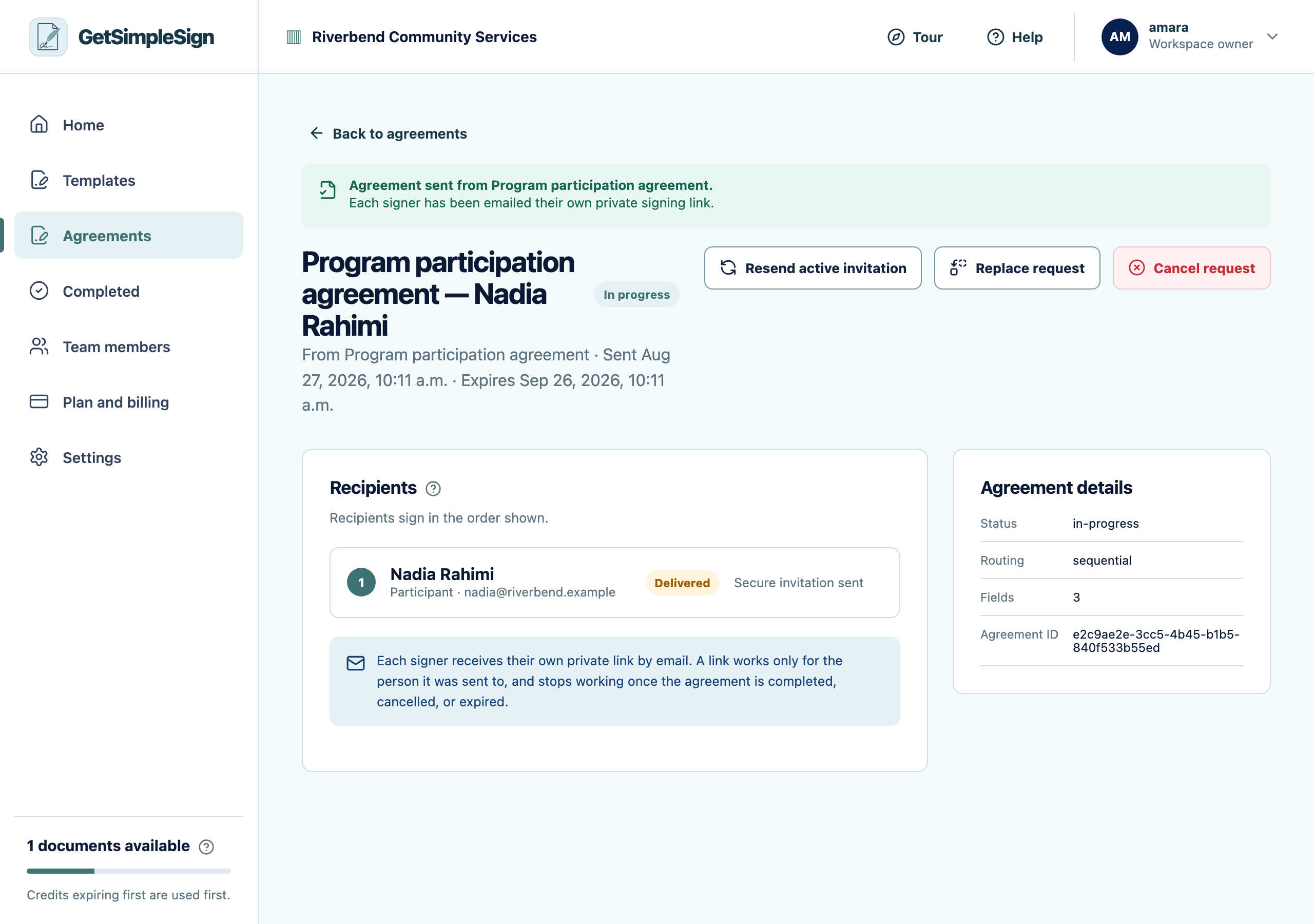
Open the agreement and press Cancel request.
 12
12An agreement in progress, showing the recipient, their status, and the controls to resend, replace or cancel. - 1Each recipient and where they have reached.
- 2Cancel request voids the agreement. You are asked to confirm, and told what would be lost.
Read the confirmation. It says what will be lost, including any signature already collected.
Confirm only if that is what you want. Every outstanding link stops working and nobody can complete it afterwards.
The agreement shows as cancelled and no more reminders go out.
Somebody had already signed in person and now that is gone. It cannot be recovered — they would have to be brought back. This is why the confirmation names the number of signatures first.
You wanted to change one detail rather than start again. Use Replace request, which cancels this one and opens a new send with the same details ready to edit.
The document credit is not returned. A credit is used when a request is sent, not when it completes.