

This guide provides general operational information for Canadian organizations. It is not legal advice, and it does not determine whether a specific document or process is legally appropriate.
Choose an expiry when sending
Review the expiry period or custom date on Use template. One-time PDF sends provide their own expiry choices. Use a period that fits the recipient’s actual opportunity to review.
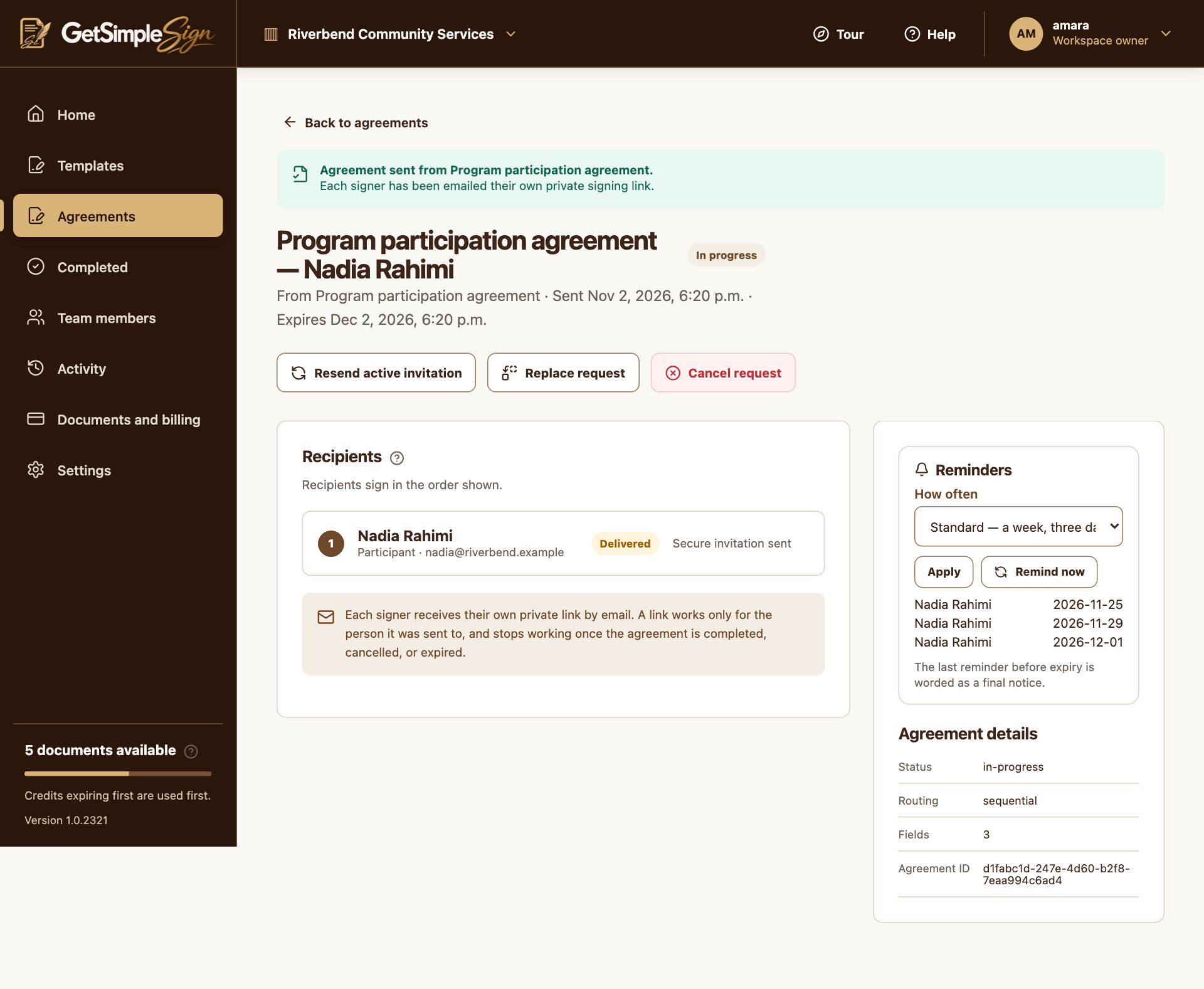
Use a preset or custom schedule
Standard, Gentle, Persistent and Only the day before expiry presets describe when messages are sent relative to expiry. Turn reminders off or enter custom days when appropriate. Only future reminders are scheduled.
Change future reminders on the agreement
For an active email-signing request, use the Reminders panel and Apply. Remind now refreshes an active invitation. A completed, declined, cancelled or expired request cannot be reopened merely by sending a reminder.
A practical next step
Test the workflow with a non-sensitive document and your own test recipient. Check the current Help centre for step-by-step instructions and screenshots before using it for a real agreement.