

This guide provides general operational information for Canadian organizations. It is not legal advice, and it does not determine whether a specific document or process is legally appropriate.
Find and name your templates
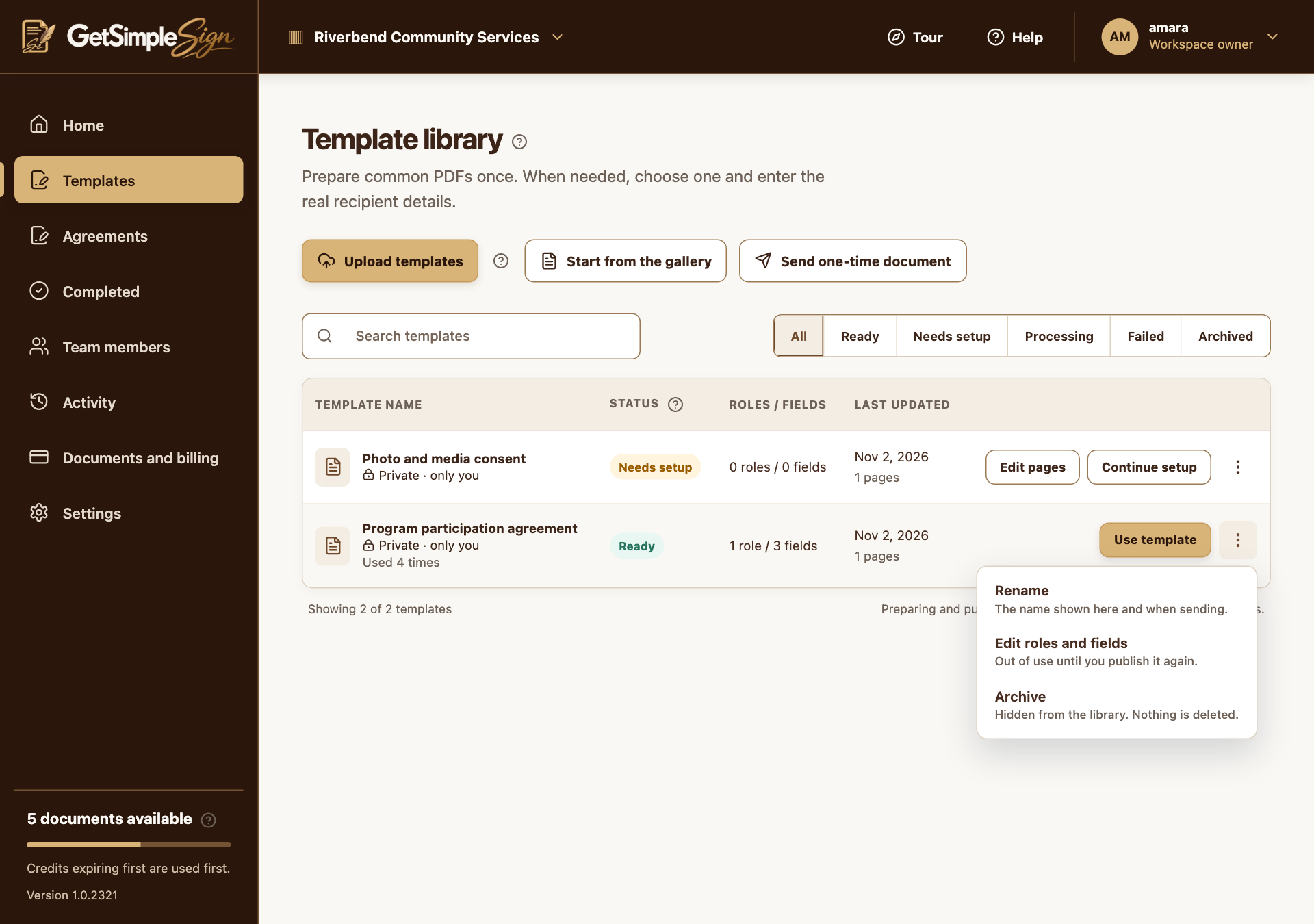
Use Search templates and status filters. Rename a template through its row actions so its program and purpose are recognizable.
Review changes before another send
Use Edit roles and fields to change a Ready template, confirm the warning, and publish again after review. Existing sent agreements retain their original document.
Archive instead of losing track
Archive older templates and use the Archived filter to Restore them when needed. Permanent deletion is offered for archived templates and requires confirmation. The current UI does not provide collaborator sharing for templates.
A practical next step
Test the workflow with a non-sensitive document and your own test recipient. Check the current Help centre for step-by-step instructions and screenshots before using it for a real agreement.