

This guide provides general operational information for Canadian organizations. It is not legal advice, and it does not determine whether a specific document or process is legally appropriate.
Give each person their own account
Shared credentials make it harder to identify who acted and to remove one person’s access. Invite colleagues to the workspace using their own email addresses.
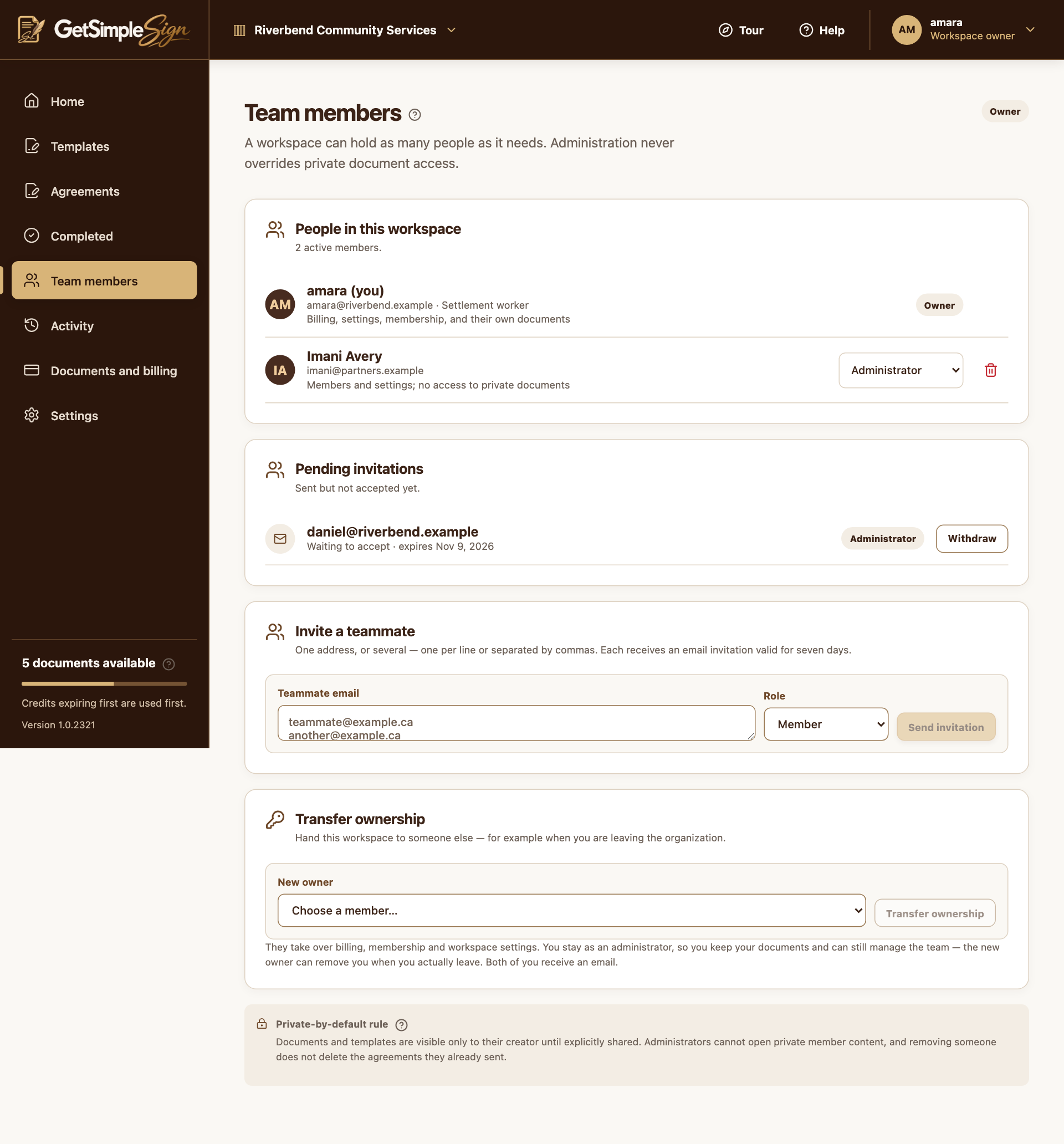
Invite one or several people
An owner or administrator opens Team members, enters one or more email addresses and chooses Member, Administrator or Read-only. Invitations cost no document credits; charges are for sending agreements.
Keep powers appropriate
Owners can purchase, change roles, remove members and transfer ownership. Administrators manage invitations and settings. Members prepare and send their own documents; Read-only users cannot upload or send.
Preserve the content boundary
Joining the workspace does not automatically reveal another creator’s private documents. The current UI does not provide a collaborator-sharing control. Use specific signer or copy-recipient roles for an agreement.
Handle a departure deliberately
Transfer ownership first when necessary, retain needed completed records, and have an owner remove the departing member. Membership removal is separate from the lifecycle of existing signing requests.
A practical next step
Test the workflow with a non-sensitive document and your own test recipient. Check the current Help centre for step-by-step instructions and screenshots before using it for a real agreement.