

This guide provides general operational information for Canadian organizations. It is not legal advice, and it does not determine whether a specific document or process is legally appropriate.
Arrange the transfer before departure
Choose an active, verified colleague who already belongs to the workspace. Review pending agreements and export the completed records your organization needs before the current owner leaves.
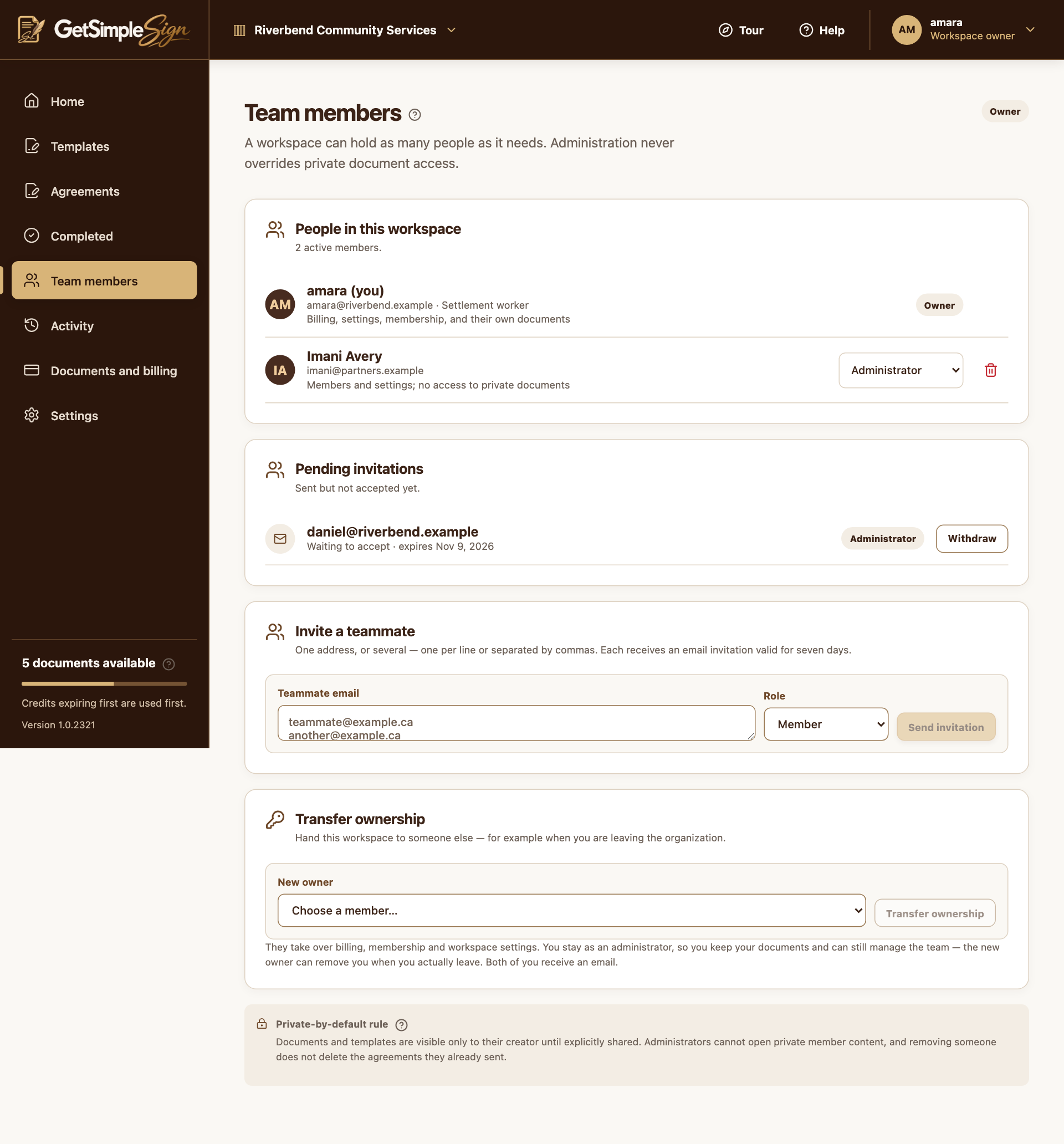
Use Transfer ownership in Team members
The current owner opens Team members, goes to the separate Transfer ownership section, selects New owner and confirms Transfer ownership. This is separate from editing a member’s role selector.
Understand what changes
The new owner takes over billing and membership administration. The transferring owner remains an administrator, and both parties receive a notification. Private document ownership is not automatically reassigned or exposed by the transfer.
Complete the record hand-over
Use the documented download and signing/copy-recipient controls as appropriate. Do not assume the new owner can browse the departing creator’s private files. If access or recovery is unclear, contact support before removing the departing member.
A practical next step
Test the workflow with a non-sensitive document and your own test recipient. Check the current Help centre for step-by-step instructions and screenshots before using it for a real agreement.