

This guide provides general operational information for Canadian organizations. It is not legal advice, and it does not determine whether a specific document or process is legally appropriate.
Email link
The service sends a link to the address supplied by the sender. Possession of that link permits its use: a forwarded or exposed link is a risk. It does not independently establish the person’s identity or authority.
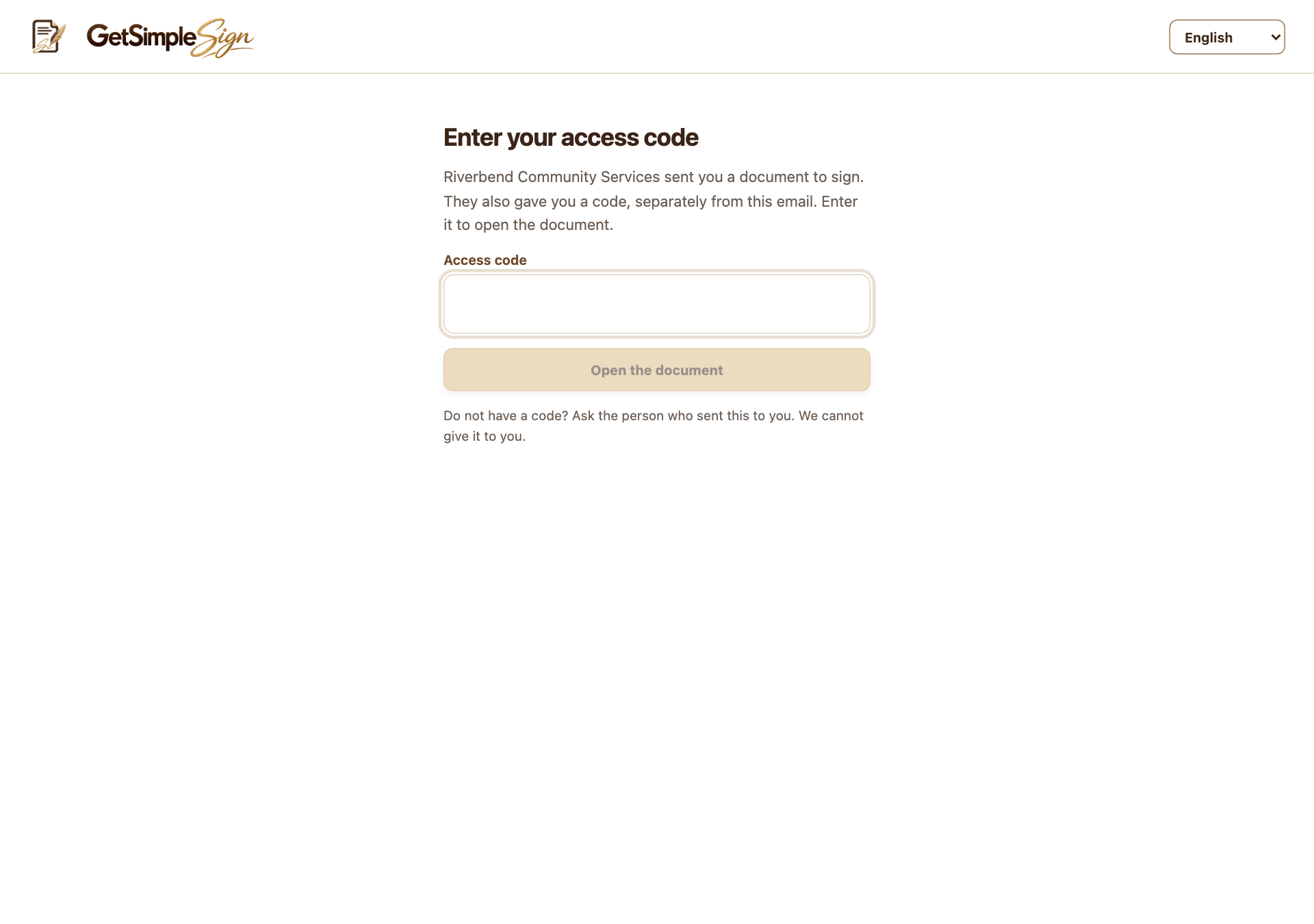
Email link plus access code
Require an access code on a template send and give it through a separate channel. The recipient needs both the link and the code. Do not send the code alongside the invitation link.
In person on your device
Choose In person, on your device for the signer, then Hand over this device when they are present and their turn is active. Your workspace locks until you unlock it with your password. Your own process establishes who is present.
Account authentication is separate
Magic links and optional authenticator setup protect workspace sign-in. They are not an identity-verification service for agreement recipients. Enabled authenticators require a code at future account sign-ins.
Choose a process appropriate to the document
GetSimpleSign does not provide government-ID verification or determine that someone is authorized to sign. Assess your organization’s requirements and seek qualified advice when a stronger or prescribed process is needed.
A practical next step
Test the workflow with a non-sensitive document and your own test recipient. Check the current Help centre for step-by-step instructions and screenshots before using it for a real agreement.